The first feedback system I built was a Google Form linked to a spreadsheet. It worked for a week. By month two, we had 200 entries with no way to search, no way to see which requests had the most support, and no way to tell users what happened to their submission. I spent more time managing the spreadsheet than acting on the feedback in it.
How to build a feedback system that actually works comes down to three requirements: it needs to capture feedback with zero friction, let users vote so you can measure demand, and connect to your roadmap so nothing falls through the cracks.
This guide covers how to set up each component and have a working system in under 30 minutes.
What Makes a Good Feedback System
Before building, understand what separates systems that work from ones that get abandoned:
Working systems are structured. Feedback is categorized by type (feature requests, bugs, general) so each category gets appropriate attention. A flat list where bug reports compete with feature ideas for the same attention pool fails quickly.
Working systems quantify demand. Voting transforms a list of equal-weight items into a ranked queue. Without it, you're guessing which requests matter most based on who emailed you most recently.
Working systems close the loop. Users who submit feedback need to know what happened. Did you build it? Is it planned? Did you decide not to? Systems that answer these questions get more feedback over time. Systems that don't close the loop slowly lose participation.
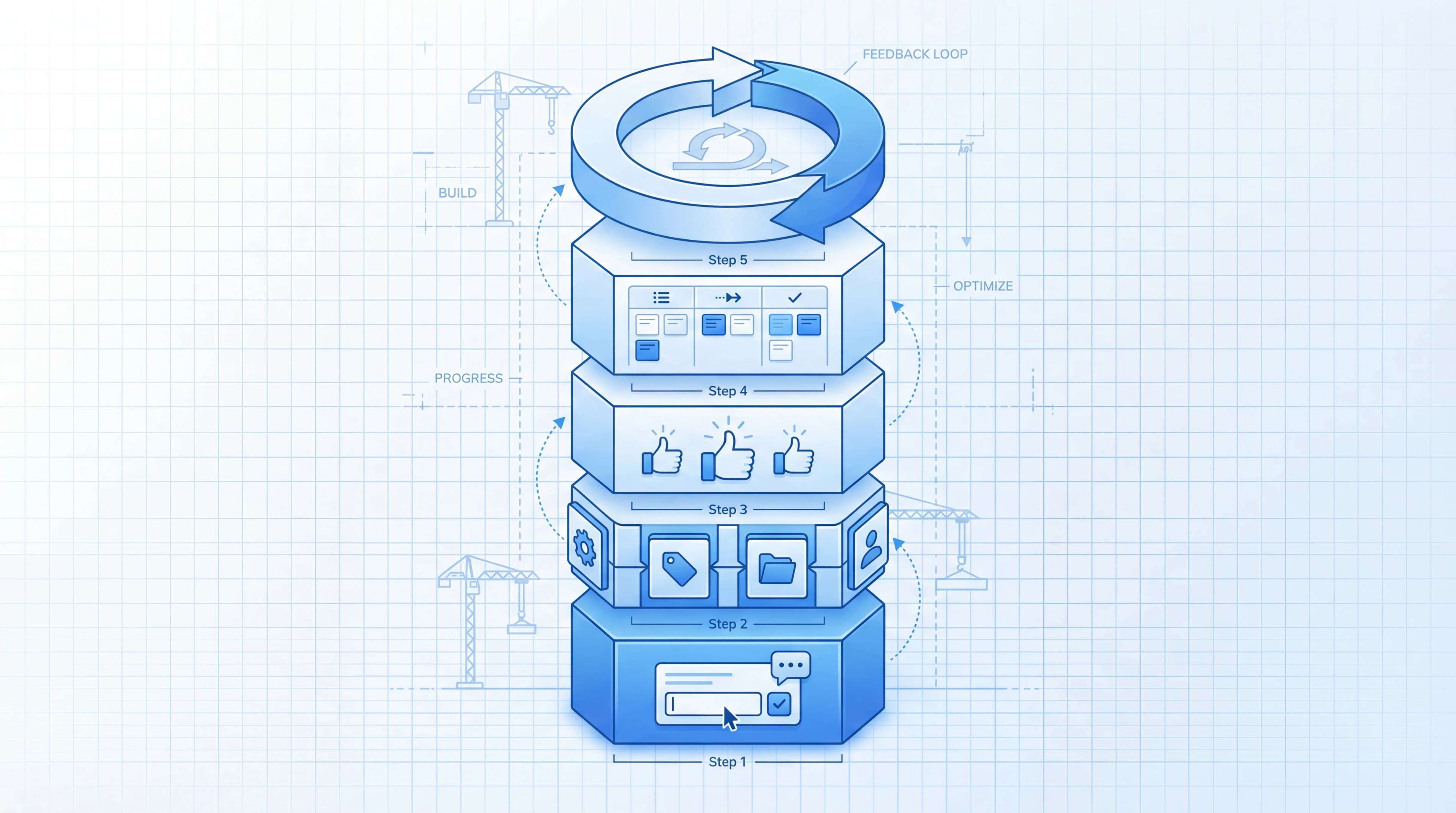
Step 1: Set Up Your Feedback Boards
Create feedback boards organized by the type of input you want to capture:
- Feature Requests: New functionality ideas from users
- Bugs & Fixes: Quality issues, broken workflows, reliability problems
- General Feedback: UX observations, confusion points, suggestions that don't fit other categories
Why separate boards instead of one big inbox? Because feature requests need voting and prioritization. Bug reports need severity assessment and quick triage. General feedback needs categorization before it's actionable. Different types need different workflows.
Each board should have a clear description of what belongs there. "Submit feature ideas and vote on existing ones" is better than just "Feature Requests" because it tells users they should search before submitting.
Step 2: Add Collection Channels
You need feedback flowing in from where users actually are. For a complete breakdown of all available channels and how to choose between them, see our user feedback collection strategy. Two channels cover most scenarios:
Embedded widget
An in-product widget lets users submit feedback in context. When a user hits a frustrating workflow or has a feature idea, they submit it without leaving your product. The feedback captures what they were doing, which gives your team better context than a standalone form ever could.
Feeqd's widget is 18KB and installs with two lines of code. You configure the form fields through a visual editor: text inputs for titles, textareas for descriptions, rating blocks for satisfaction scores. The widget submits directly to your feedback boards.
Public board links
Share your feedback board URLs in places where users aren't currently in your product: onboarding emails, community channels, newsletters, support responses. Public boards let users browse existing requests and vote before submitting their own, which reduces duplicates and concentrates signal.
Together, the widget handles "I have feedback right now" and public boards handle "I want to share an idea when I'm not using the product."
Step 3: Enable Voting
This is the step that transforms collection into prioritization.
Turn on voting for your feature request board. When users can upvote existing entries, you get:
- Demand ranking. Entries sort by vote count. Your top 10 are your users' top 10 priorities.
- Duplicate prevention. Instead of 20 entries saying "add dark mode," one entry gets 20 votes. Clean backlog, clear signal.
- Velocity tracking. A new entry that gets 30 votes in a week is a hotter signal than one that accumulated 30 votes over six months.
Voting also changes user behavior. Instead of writing a new request, users search for their issue first. If they find it, they vote. If they don't, they submit. This self-organizing behavior keeps your system manageable as it scales.
Step 4: Connect to Your Roadmap
A feedback system that doesn't connect to your roadmap is a suggestion box. The connection is what makes it a decision-making tool.
Create a roadmap and link top-voted feedback entries to it. Each roadmap item should trace back to the feedback entries and vote counts that inspired it. When someone asks "why are we building this?", the answer is always traceable to specific user demand.
Use a four-column layout that maps to your development workflow:
- Pending: Acknowledged, under consideration
- Next: Committed for an upcoming cycle
- In Progress: Currently being built
- Completed: Shipped
When a feature ships, the roadmap item moves to Completed, and the linked feedback entries update automatically. Users who voted see the change. The feedback loop closes without you sending individual notifications.
For a deeper dive on connecting feedback to planning, read how to integrate feedback into product planning.
Step 5: Establish a Review Cadence
A feedback system without regular review decays. Set a cadence:
Weekly (15 minutes):
- Review new submissions across all boards
- Merge duplicate entries (combine votes)
- Respond to entries that need acknowledgment
- Flag high-velocity entries for the next planning cycle
Monthly (30 minutes):
- Review top-voted entries against your current roadmap
- Move items that warrant action to the roadmap
- Update statuses on entries you've decided not to pursue
- Check whether your feedback-driven features are getting adopted
Quarterly (1 hour):
- Review overall system health: submission volume, unique contributors, vote-to-ship ratio
- Identify gaps: are there categories with lots of feedback but no roadmap items?
- Track feedback impact by comparing adoption of feedback-driven vs internal features
This cadence is lightweight enough that it doesn't become a burden, but regular enough that the system stays current.
Tools You'll Need
A complete feedback system needs three components:
| Component | What it does | Options |
|---|---|---|
| Feedback boards | Organize and categorize input | Feeqd, Canny, Nolt |
| Voting system | Quantify demand | Built into feedback tools |
| Roadmap | Connect feedback to what you build | Feeqd, standalone tools |
The simpler the tool stack, the more likely your team maintains it. A single tool that handles boards, voting, and roadmap integration eliminates the overhead of syncing between systems. Feeqd combines all three with a feedback management tool that connects collection to roadmap in one system.
According to Survicate's research on feedback systems, the biggest predictor of whether a feedback system survives past 6 months is simplicity. Complex multi-tool setups get abandoned when the person who set them up changes roles.
Common Mistakes
Starting with too many channels. Two channels (widget + public board) are enough to start. Adding Slack integrations, email parsing, and social monitoring before you've mastered the basics creates noise you can't manage.
No voting from day one. Some teams plan to "add voting later." They never do, and by the time they realize they need it, they have 500 unranked entries. Enable voting immediately, even if you have zero entries. Inc's guide on feedback systems emphasizes that the hardest part isn't collecting feedback but creating a system that acts on it.
Building custom instead of using existing tools. I built that Google Form system because I thought our needs were "unique." They weren't. Off-the-shelf feedback tools handle 95% of what you need, and the 5% they don't isn't worth the maintenance cost of a custom system.
No public visibility. A feedback system that only your team can see is a feedback system that doesn't close the loop. Make your boards and roadmap public so users can see progress without asking. Transparency builds trust and drives more submissions.
FAQ
What are the 5 components of a feedback system?
Collection channels (widget, public boards), organization structure (categorized boards), demand quantification (voting), roadmap connection (linking feedback to planned work), and loop closure (status updates, public roadmap). Each component builds on the previous one: you can't quantify demand without organized categories, and you can't close the loop without connecting feedback to shipped features.
How to create a feedback system?
Start with two collection channels: an embedded widget for in-product feedback and public board links for out-of-product input. Organize into boards by type (feature requests, bugs, general). Enable voting so users rank priorities. Connect top-voted entries to your roadmap. Review weekly and update statuses so users see progress. The whole setup takes under 30 minutes with a dedicated feedback management tool.
What are the 3 C's of feedback?
Collect (gather feedback from multiple channels into one system), Categorize (organize by type and product area so each category gets appropriate attention), and Close (communicate outcomes back to users through status updates and public roadmaps). A working feedback system handles all three, but most teams only do the first one well.
How do you measure if a feedback system is working?
Three signals: rising submission volume (users trust the system enough to contribute), increasing vote participation (users engage with existing requests, not just submitting new ones), and a healthy feedback-backed ratio (30%+ of your sprint features trace back to user feedback). If all three trend upward, your system is working. If submissions drop, users have lost confidence that their input leads somewhere.
Get started with Feeqd for free
Let your users tell you exactly what to build next
Collect feedback, let users vote, and ship what actually matters. All in one simple tool that takes minutes to set up.
Sign up for free