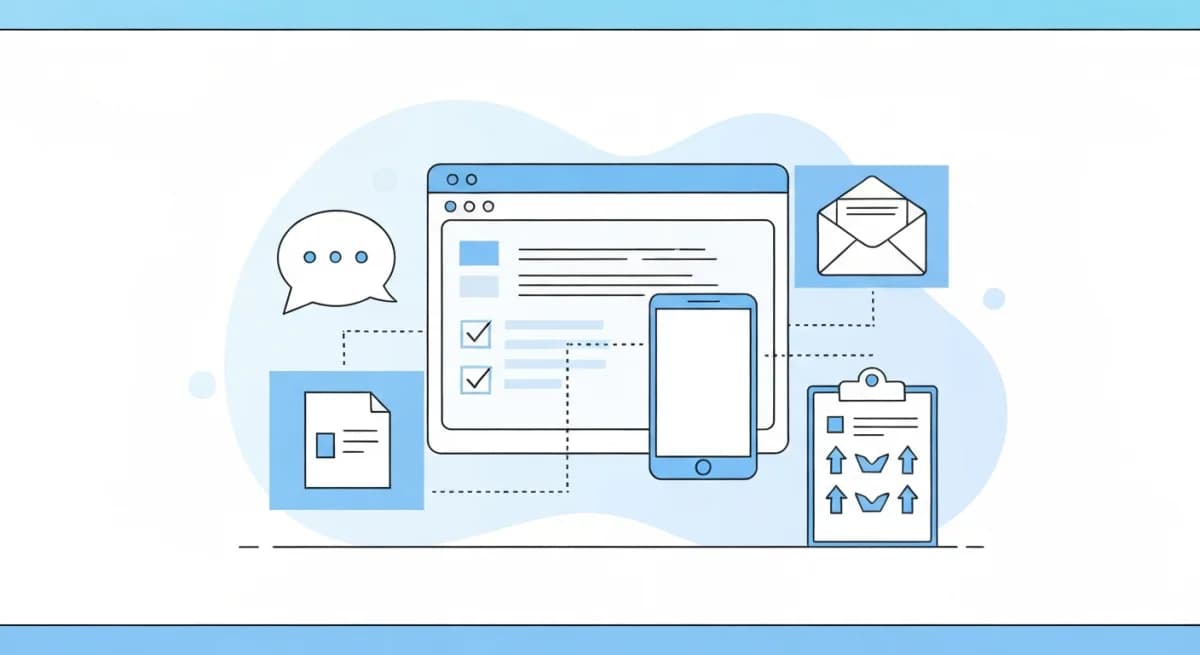
User feedback collection is the systematic process of gathering user input about your product through channels like widgets, boards, surveys, and interviews. The goal isn't just hearing what users think. It's building a structured pipeline that turns raw input into product decisions.
Most teams collect feedback. Few collect it well. The difference is whether feedback flows into a system where it's organized, deduplicated, prioritized by actual demand, and connected to your product roadmap. Scattered feedback across Slack, email, and spreadsheets produces noise. A structured collection strategy produces signal.
I've spent the last two years building Feeqd, a feedback management tool, and the biggest lesson I've learned is that collection is the easy part. The hard part is what happens after: organizing, deduplicating, prioritizing, and closing the loop. This guide covers both sides of that equation.
What Is User Feedback Collection?
User feedback collection encompasses every method and channel you use to gather input from the people who use your product. It includes:
- Qualitative feedback: feature requests, bug reports, complaints, suggestions, and praise expressed in the user's own words
- Quantitative feedback: NPS scores, satisfaction ratings, usage analytics, and survey responses that produce measurable data
- Behavioral feedback: implicit signals from how users interact with your product (click patterns, feature adoption, churn triggers)
Effective collection is multi-channel. No single method captures everything. A user who files a detailed bug report via your feedback widget is a different signal than a user who quietly stops using a feature. Both matter.
The Harvard Business Review's research on customer feedback shows that increasing customer retention by just 5% can increase profits by 25% to 95%. Feedback collection is the mechanism that makes retention actionable: you learn what drives satisfaction before users leave.
Why User Feedback Collection Matters
You build the right things
Without structured feedback, product decisions are driven by the loudest voice in the room, usually an executive or a single enterprise customer. A feedback collection system with community voting makes demand visible. When 200 users vote for the same feature, that signal is harder to ignore than one persuasive email.
You catch problems early
Users encounter bugs, confusion, and friction that your team never sees. A persistent feedback channel (like an in-app widget) catches these issues while they're small. Without it, you hear about problems only when they cause churn, which is too late.
You build user trust
Users who feel heard stay longer. McKinsey's research on customer experience shows that companies focusing on customer feedback consistently outperform on retention. When you collect feedback publicly (through a public feedback board) and show progress (Pending, In Progress, Completed), you create a transparency loop that builds loyalty. Users who see their suggestions implemented become advocates.
6 Channels for Collecting User Feedback
Each channel serves a different purpose, and each tends to surface different types of customer feedback, from direct feature requests to indirect behavioral signals. A complete strategy uses several channels in combination, not just one.
1. In-app feedback widgets
A feedback widget embedded in your product lets users submit input without leaving the page. This is the lowest-friction channel for capturing in-context feedback. Users are looking at the exact screen where they encountered an issue or had an idea.
What it captures: bug reports, feature requests, general feedback, and contextual input tied to specific pages or features.
When to use it: as a persistent, always-available channel for any product with active users. Best paired with boards for organization.
Tools: Feeqd (18KB widget with 18 block types), Usersnap (screenshot annotation), Hotjar (survey popups).
2. Public feedback boards
A dedicated page where users can browse existing feedback, add their own, and vote on what matters most to them. Boards solve the deduplication problem: instead of 50 users submitting the same request, they find the existing one and upvote it.
What it captures: feature requests, ideas, and priority signals through voting. Community discussion around each item adds qualitative context.
When to use it: for products with an active user base that wants to participate in product direction. Boards work best when they're public and transparent.
Tools: Feeqd (3 free boards with custom subdomain), Canny, Featurebase, Nolt. See our feedback board for SaaS guide for a deeper comparison.
3. Surveys and NPS
Structured questionnaires sent to users at specific moments: after onboarding, after a support interaction, quarterly, or triggered by behavior (exit intent, feature adoption). Surveys produce quantitative data that you can trend over time.
What it captures: satisfaction scores (NPS, CSAT), structured answers to specific questions, and benchmarkable data. For deeper analysis of survey data, see our guide on voice of customer analytics. For the specific case of measuring product-market fit with a 4-question survey, see our product market fit survey playbook.
When to use it: for measuring satisfaction trends, not for collecting feature requests. Surveys are proactive (you ask the question), which makes them great for specific research but poor for discovering things you didn't think to ask about.
Tools: Typeform, SurveyMonkey, Hotjar Surveys, Survicate.
4. Support tickets and conversations
Your support team talks to users every day. Support tickets are a goldmine of feedback that most teams ignore. Bug reports, feature requests, and frustration patterns are buried in support conversations.
What it captures: problems users encounter in real workflows, frustration patterns, workarounds users have built, and unmet needs expressed naturally.
When to use it: always. The key is having a system to tag and extract feedback from support conversations into your feedback management workflow. Without tagging, the insights stay buried in ticket archives.
5. User interviews and calls
Direct conversations with users, either scheduled or opportunistic. Interviews capture nuance that no form or survey can: tone, hesitation, the "well, actually what I really need is..." moments that reveal deeper needs.
What it captures: deep qualitative insights, workflow context, pain points users can't articulate in a form, and the "why" behind the "what."
When to use it: for validating hypotheses, exploring new directions, and understanding complex workflows. Not scalable for continuous feedback, but irreplaceable for depth. Aim for 3-5 interviews per month as a baseline.
6. Social media and community channels
Reddit threads, Twitter mentions, Slack communities, Discord servers, Product Hunt comments, and app store reviews. Users share unfiltered opinions in spaces where they're not talking directly to you.
What it captures: unfiltered sentiment, competitive comparisons ("I switched from X to Y because..."), and use cases you didn't anticipate.
When to use it: as a listening channel, not a collection channel. Monitor regularly but don't rely on social as your primary feedback source. The signal-to-noise ratio is low, and the audience is self-selecting.
How to Build a Feedback Collection Strategy
The five steps below cover the collection mechanics: which channels to run, how to organize what comes in, and how to connect feedback to your roadmap. Once those are running, the layer that wraps around them (cadences, ownership, KPIs, OKR bridge) is what we cover separately in our customer feedback strategy guide. And when you compress every channel into a single 4 to 8 week window for pre-launch validation with a hand-picked cohort, that is its own playbook: see how to run a beta test. All three sit on top of the same channels.
Step 1: Choose your primary collection channel
Start with one always-on channel for continuous feedback. For most SaaS products, this is either an in-app feedback widget or a public feedback board. Pick based on your product:
- Widget: best for products where users encounter issues in-context (dashboards, editors, complex workflows)
- Board: best for products where users want to influence direction publicly (community-driven products, developer tools)
Feeqd combines both: the widget collects feedback that flows into boards where users can vote and discuss. When I first launched with only a widget, submissions came in but sat unorganized. Adding public boards where users could vote on existing requests changed everything: duplicate submissions dropped because users found and upvoted existing ideas instead of creating new ones. This two-layer approach captures both quick in-context input and structured community prioritization. For a step-by-step setup, see our guide on how to build a feedback system.
Step 2: Set up organization
Raw feedback is useless without organization. Create categories that map to your product areas:
- Feature requests: what users want you to build
- Bug reports: what's broken
- General feedback: everything else (praise, confusion, process issues)
Use boards or tags to keep these separate. A feature request needs different handling than a bug report. Mixing them creates noise.
Step 3: Enable prioritization
Volume of feedback isn't the same as importance of feedback. Set up a mechanism for surfacing demand:
- Voting: let users vote on existing requests. The most-voted items represent real demand, not just vocal minorities.
- Status workflow: track items through stages (Pending, Next, In Progress, Completed). This forces prioritization decisions and communicates progress.
Step 4: Connect to your roadmap
Feedback without a connection to your product roadmap is a suggestion box that nobody reads. Link high-priority feedback items to roadmap entries so your team can see the direct line from "users want X" to "we're building X."
This connection also enables closing the feedback loop: when a roadmap item moves to "Completed," users who requested it see the update.
Step 5: Add secondary channels over time
Once your primary channel is running, add supplementary sources:
- Month 1-2: widget or board (primary channel)
- Month 3-4: support ticket tagging (extract feedback from existing conversations)
- Month 5-6: periodic NPS surveys (quarterly baseline)
- Ongoing: user interviews (3-5 per month), social listening
Don't launch all channels at once. Each channel produces data that needs processing. It's better to do one channel well than five channels poorly.
Best Practices for Feedback Collection
Make it frictionless
Every click between "I have feedback" and "I submitted it" loses users. A widget in the corner of your app is better than a link to an external portal. Anonymous submissions remove the barrier of account creation, with real trade-offs around follow-up and abuse controls covered in anonymous user feedback: when to enable it. Short forms (3-5 fields) complete better than long ones. When we tested Feeqd's widget with 3 fields versus 7, the shorter form consistently got more completions. Start minimal and add fields only when you know you need the data.
Deduplicate before prioritizing
If 50 users submit the same feature request as 50 separate items, your data says "50 random requests" instead of "1 request with 50x demand." Public boards solve this naturally: users find and vote on existing requests instead of creating duplicates.
Close the loop
The single most important practice. Users who submit feedback and hear nothing back stop giving feedback. Acknowledge receipt, communicate progress, and notify when their request ships. A public roadmap handles this at scale.
Separate signal from noise
Not all feedback is equal. A paying customer's bug report carries more urgency than a free user's feature wish. But 100 free users voting for the same feature outweighs one enterprise request. Use voting to quantify demand and status workflows to manage urgency.
Review regularly
Schedule a weekly 15-minute feedback review. Look at new submissions, top-voted items, and status distribution. Monthly, review trends: what categories are growing? What's been "Pending" for too long? This cadence prevents feedback from going stale. We review Feeqd's own feedback board every Monday morning. It takes 10 minutes and consistently surfaces issues we wouldn't have caught from metrics alone.
Common Mistakes in Feedback Collection
Collecting without acting
The worst outcome is building a feedback system that nobody reads. Users who submit feedback and see it ignored lose trust faster than users who never had a feedback channel at all. If you're not prepared to act on feedback, don't ask for it.
Treating all channels equally
A Reddit comment from an anonymous user and a detailed bug report from your largest paying customer are not the same signal. Weight feedback by source, context, and user profile. In-app feedback from active users is generally more actionable than social media sentiment.
Over-relying on surveys
Surveys tell you what you ask about. Feedback widgets and boards tell you what you didn't think to ask. Teams that only run surveys miss the "unknown unknowns," the problems and ideas that users surface on their own.
Ignoring implicit feedback
Users who stop using a feature are giving you feedback, even if they never submit a form. Combine explicit feedback (submissions, votes) with behavioral data (feature adoption, churn triggers) for a complete picture.
Tools for User Feedback Collection
| Channel | Recommended Tool | Free Option | Starting Price |
|---|---|---|---|
| In-app widget | Feeqd | Boards free (widget paid) | $19/mo |
| Public feedback board | Feeqd | 3 boards, 100 entries | Free |
| Surveys + heatmaps | Hotjar | Yes (limited) | $32/mo |
| Visual bug reports | Usersnap | Free trial | $69/mo |
| NPS | Delighted | Yes (limited) | $224/mo |
| User interviews | Calendly + Zoom | Yes | Free |
For a detailed comparison of feedback tools, see our feedback management tool guide, free website feedback tools analysis, and free feedback tools for startups organized by stage.
FAQ
How to collect feedback from users?
Start with a single always-on channel: either an in-app feedback widget or a public feedback board with voting. Add support ticket tagging, periodic surveys, and user interviews over time. The key is connecting all channels to a central system where feedback is organized, deduplicated, and prioritized.
What is a feedback collection?
Feedback collection is the systematic process of gathering user input about your product through multiple channels (widgets, boards, surveys, interviews, support tickets) and organizing it into a structured system for analysis and action. It goes beyond just asking for opinions: effective collection includes deduplication, voting, prioritization, and connecting feedback to your product roadmap.
What is user feedback?
User feedback is any input from the people who use your product about their experience, needs, problems, or ideas. It can be explicit (a feature request, a bug report, a survey response) or implicit (usage patterns, churn signals, feature adoption rates). Both types inform product decisions.
What are the 5 R's of feedback?
One useful way to think about feedback is through five stages: Request (ask for input), Receive (collect it through channels like widgets and boards), Reflect (analyze patterns and prioritize), Respond (acknowledge to the user), and Resolve (act on it and close the loop). A complete feedback collection strategy addresses all five. For more on closing the loop, see our guide on how to close the feedback loop.
Get started with Feeqd for free
Let your users tell you exactly what to build next
Collect feedback, let users vote, and ship what actually matters. All in one simple tool that takes minutes to set up.
Sign up for free