Customer feedback integration for product planning sounds like something every team already does. In practice, most don't. Our sprint planning used to start the same way every two weeks. The PM opened a Jira board, the team looked at a backlog that hadn't been updated since last quarter, and someone would ask "so what are users actually asking for?" Nobody had a clear answer because the feedback lived in four different places, and none of them connected to the planning board.
The result was predictable. We built features based on internal assumptions, shipped them, and then watched adoption flatline because users wanted something else entirely. The feedback data existed. It just never made it into the room where planning decisions happened.
This guide covers how to integrate customer feedback into product planning so that every sprint starts with real user signals instead of guesswork.
Why Customer Feedback Integration Fails
Most teams collect feedback. Few teams integrate it into planning. The gap between those two activities is where good product intentions die.
Feedback lives in silos. Support tickets in Zendesk, feature requests in a Google Form, bug reports in Slack, NPS responses in a survey tool. Each system captures genuine input, but the planning team never sees the full picture. A request mentioned 30 times across three channels looks like three minor requests instead of one major signal.
No shared language between feedback and planning. Even when feedback reaches the planning meeting, it arrives as unstructured text. "Users want better export" means different things to different people. Without structured categories and quantified demand, feedback becomes anecdotal evidence that loses to whoever has the strongest opinion.
Planning cycles don't reference feedback data. The sprint planning template has fields for story points, acceptance criteria, and assignees. It rarely has a field for "which users requested this and how many." Without that link, feedback is an input that gets considered once and forgotten.
Step 1: Create a Feedback-to-Planning Pipeline
The integration starts with routing all feedback into a single structured system. Not a spreadsheet. Not a Slack channel with a naming convention. A dedicated feedback management tool that organizes input by type and makes it searchable.
Set up boards that match your planning categories:
- Feature Requests for new functionality
- Bugs & Fixes for quality issues
- General Feedback for UX observations, confusion points, and everything else
Each board becomes a structured queue. When a user submits feedback through your embedded widget, it lands in the right board automatically based on the form they used. When a support agent hears a feature request on a call, they add it to the same system. One system, one view.
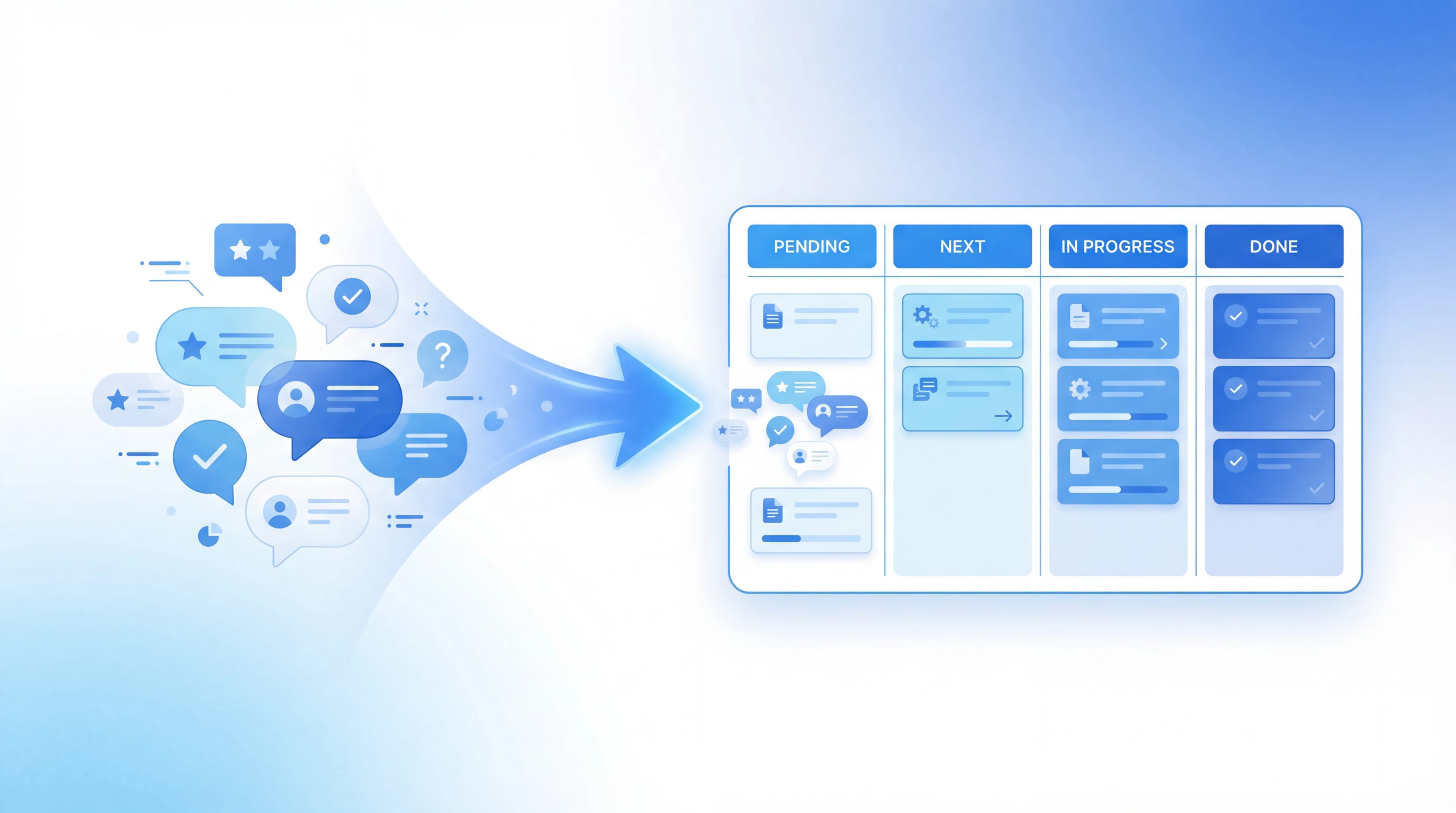
The pipeline is simple: Collect -> Organize -> Quantify -> Plan -> Build -> Communicate. Each step feeds the next, and the last step feeds back into the first.
Step 2: Quantify Demand Before Planning
Raw feedback tells you what users want. Voting tells you how many users want it.
Enable community voting on your feedback boards so users can upvote existing entries instead of submitting duplicates. This does two things for planning:
- Sorts priorities by data. A feature request with 85 votes is objectively more demanded than one with 6. You don't need to debate this in a meeting.
- Reduces noise. Instead of 20 separate entries saying "add dark mode" in different words, you get one entry with 20 votes. Your planning backlog stays clean.
Before every planning cycle, pull the top-voted entries from each board. This becomes your demand-ranked input for sprint planning. Not the only input (you still need to weigh effort, strategy, and technical debt), but always the starting point.
The vote ranking at the board level gives you this view automatically: a sorted list of what users want most, updated in real time as new votes come in.
Step 3: Connect Feedback Entries to Sprint Items
This is where integration actually happens. Every sprint item that originated from user feedback should link back to the feedback entry that inspired it.
When you move a top-voted request into your sprint, record the connection:
- Which feedback entry or entries does this sprint item address?
- How many votes does it have?
- What's the user's exact language? (Not your interpretation of it)
In Feeqd, you add feedback entries directly to a roadmap with a four-column Kanban layout: Pending, Next, In Progress, Completed. Each roadmap item carries its vote count and links back to the original feedback entry. When the sprint team asks "why are we building this?", the answer is traceable to specific users and specific vote counts.
This traceability changes planning conversations. Instead of "I think users want X," it becomes "87 users voted for X, here are their exact requests, and three of the top comments specify they need Y format."
Step 4: Build the Review Cadence
Integration isn't a one-time setup. It's a recurring step in your planning process.
Before each planning cycle:
- Review top-voted feedback entries across all boards
- Check for vote velocity changes (new entries gaining votes quickly)
- Cross-reference with your current roadmap to avoid duplicating work
- Flag entries where user language suggests urgency ("blocking," "considering switching," "need this by Q3")
During planning:
- Present the top 10 voted entries alongside your existing backlog
- For each sprint candidate, note whether it has feedback backing (and how much)
- Prioritize backed items over unbacked ones when effort is similar
After shipping:
- Update the feedback entry status to Completed
- Move the roadmap item to the Completed column
- Users who voted or submitted the original feedback see the update on your public roadmap
This cadence turns feedback integration from "something we should do" into a built-in step that happens automatically every cycle.
Step 5: Measure Integration Impact
After two or three cycles of feedback-integrated planning, measure whether it's working:
- Feature adoption rate. Are features built from user feedback getting higher adoption than features built from internal ideas? If yes, the integration is delivering value.
- Feedback volume trend. When users see their feedback turn into shipped features, they submit more. Rising submission volume is a leading indicator that the loop is working.
- Vote-to-ship ratio. How many top-voted entries have you addressed in the last quarter? If you're consistently building the top 5 and ignoring the next 50, you're capturing the highest-impact items. If the ratio is low, something is breaking between feedback and planning.
Track these quarterly. They're the proof that feedback integration is driving better product decisions, not just generating more process. Research from Pragmatic Institute consistently shows that product teams who systematically connect user input to development priorities ship higher-adoption features.
Tools That Help
The right tool makes integration sustainable. The wrong one adds overhead that teams eventually abandon.
Look for:
- Structured boards with categories that match your planning workflow
- Built-in voting so users quantify demand without you manually counting
- Roadmap integration that links feedback entries to planned and shipped work
- Public visibility so users see their feedback progress without you sending individual updates
Feeqd handles this with feedback boards, voting, and a connected roadmap with public visibility. The 18KB widget collects feedback in-product, votes rank priorities, and the roadmap traces every item back to its feedback source.
FAQ
What is customer feedback integration?
Customer feedback integration is the process of connecting user feedback data to your product planning workflow so that sprint decisions, roadmap priorities, and feature development are informed by real user demand rather than internal assumptions. It requires a structured system for collecting, quantifying, and referencing feedback during every planning cycle.
How does customer feedback impact product development?
Direct feedback shows you what users actually need versus what you think they need. When integrated into planning, it reduces wasted development cycles on low-demand features and increases adoption of shipped features. Teams that integrate feedback into planning consistently report higher feature adoption rates and lower churn because they're building what users verified they want.
What are common challenges with feedback integration?
The three most common: feedback scattered across multiple tools with no single view, lack of demand quantification (everything looks equally important), and no link between feedback data and planning artifacts. Solving these requires centralizing feedback, enabling voting, and connecting feedback entries directly to sprint and roadmap items.
How often should you review customer feedback for planning?
At minimum, before every planning cycle. For two-week sprints, that means biweekly reviews of top-voted entries and vote velocity trends. Between cycles, monitor for high-velocity entries (new feedback gaining votes quickly) that might warrant mid-sprint attention. Read about building this into a continuous feedback loop for a more detailed cadence.
Get started with Feeqd for free
Let your users tell you exactly what to build next
Collect feedback, let users vote, and ship what actually matters. All in one simple tool that takes minutes to set up.
Sign up for free