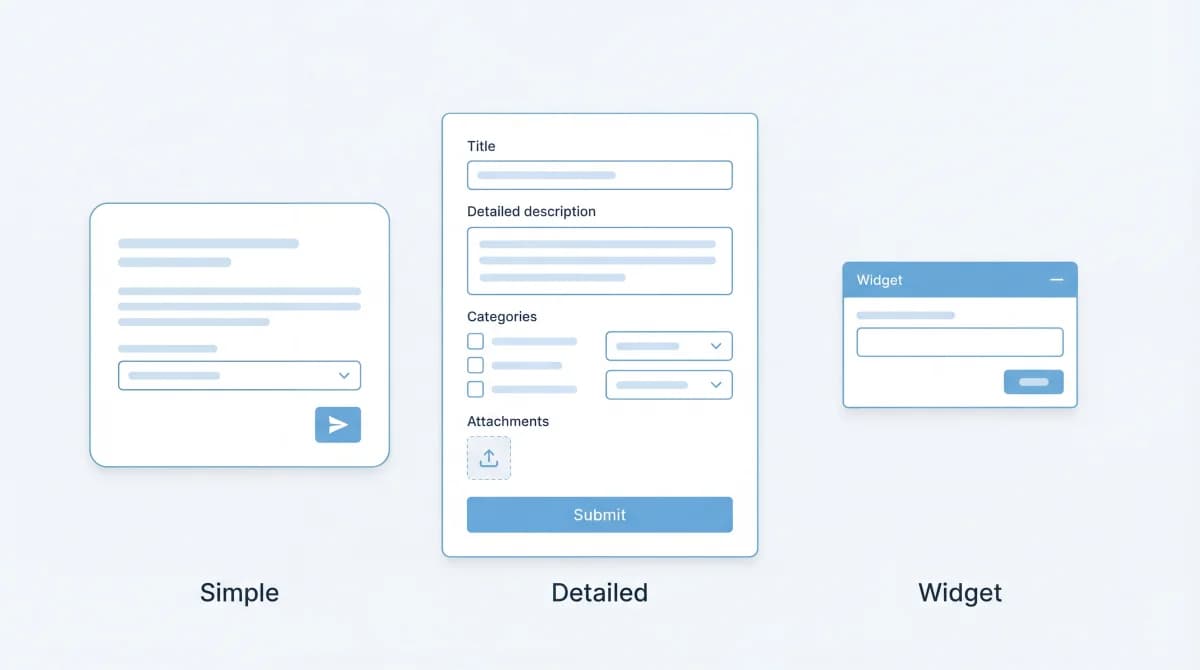
A feature request without structure is just noise. "Make it better" and "add dark mode" are both feature requests, but only one gives your team something to work with. The difference is the template.
A feature request template standardizes how users submit ideas, ensuring every request includes enough context for your team to evaluate, prioritize, and act on it. This guide provides four ready-to-use templates you can copy today, plus guidance on when to use each one.
Why Use a Feature Request Template?
Without a template, you get two types of requests:
- Too vague: "The dashboard needs work." What part? For whom? What's the problem?
- Too long: A 500-word essay that buries the actual request in background story.
A template solves both by asking the right questions upfront. Teams that use structured submission forms see fewer duplicates, faster triage, and better prioritization data. When we switched from unstructured text input to a 3-field template on Feeqd's own feedback board, the percentage of actionable requests (ones our team could evaluate without follow-up) went from roughly 40% to over 85%. When every request follows the same format, your weekly feature request review takes minutes instead of hours.
Template 1: Simple Feature Request
Best for: small teams, early-stage products, public feedback boards where you want low friction.
**Feature:** [One-sentence description of what you want]

**Problem:** [What problem does this solve for you?]

**Current workaround:** [How do you handle this today, if at all?]
Example:
**Feature:** Dark mode for the dashboard

**Problem:** I use the app late at night and the bright white interface causes eye strain.

**Current workaround:** I use a browser extension to force dark mode, but it breaks some UI elements.
Why this works: Three fields is the minimum for a useful request. The "Problem" field forces users to describe the pain, not just the solution. The "Current workaround" reveals how badly they need it. If users are already hacking around the limitation, the request has real urgency.
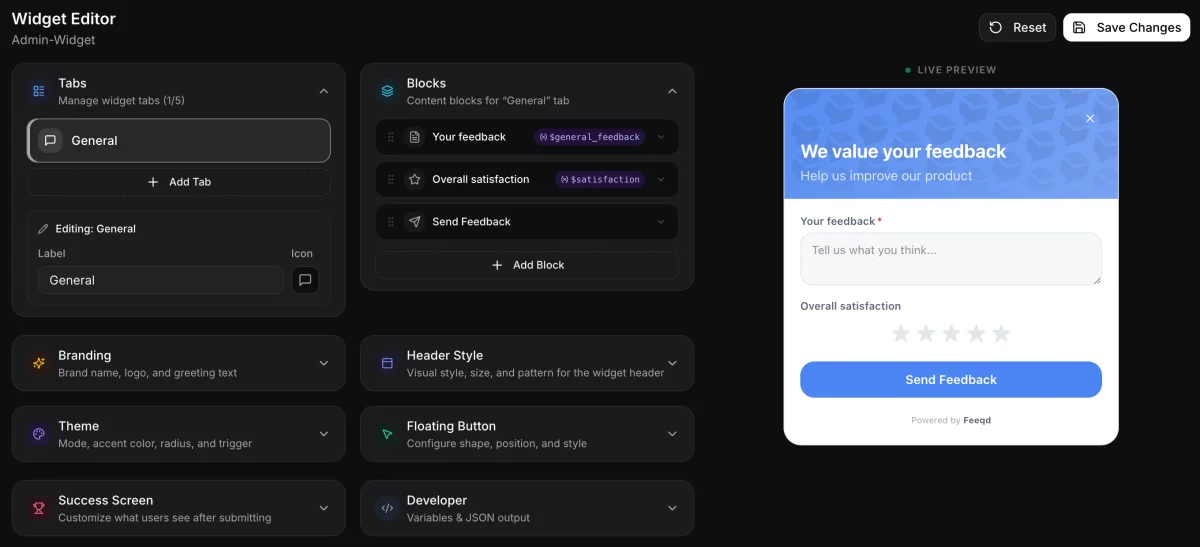
This is the template I recommend for public feedback boards where you want maximum participation. In Feeqd, you can build this as a widget form with three text fields using the block editor, and it takes less than two minutes to set up.
Template 2: Detailed Product Team Template
Best for: internal teams, product managers collecting structured input from stakeholders, complex products.
**Feature title:** [Short, descriptive name]

**Requester:** [Name, role, company/team]

**Category:** [ ] New feature  [ ] Improvement  [ ] Integration  [ ] UX change

**Problem statement:** [Describe the problem this feature would solve. Include who is affected and how often.]

**Proposed solution:** [Your suggested approach. Be specific.]

**Alternatives considered:** [Other ways to solve this. Why aren't they sufficient?]

**Impact:** [Who benefits? How many users? Revenue impact?]

**Priority suggestion:** [ ] Critical  [ ] High  [ ] Medium  [ ] Low
Example:
**Feature title:** Bulk export feedback entries to CSV

**Requester:** Sarah Chen, Head of Product, Acme Corp

**Category:** [x] New feature

**Problem statement:** Our quarterly product review requires feedback data in spreadsheet format. Currently I manually copy entries one by one from the dashboard. This takes 2+ hours per quarter and affects all 3 PMs on the team.

**Proposed solution:** Add an "Export to CSV" button on the board view that exports all visible entries with their vote counts, status, and dates.

**Alternatives considered:** API export (too technical for non-dev PMs), screenshot + manual transcription (current painful approach).

**Impact:** 3 PMs save 2+ hours quarterly. Also unblocks sharing feedback data with exec team who wants spreadsheets.

**Priority suggestion:** [x] Medium
Why this works: The extra fields (requester, category, impact, alternatives) give your team everything they need to evaluate the request without follow-up questions. The "alternatives considered" field is especially valuable because it shows the user has thought beyond their first idea.
Template 3: Bug-Adjacent Request Template
Best for: requests that blur the line between "it's broken" and "it should work differently." These are the requests that clog bug trackers because they're not quite bugs but not quite feature requests either.
**Title:** [What's happening vs. what should happen]

**Type:** [ ] Bug (it's broken)  [ ] Enhancement (it works but could be better)  [ ] Feature (it doesn't exist yet)

**Steps to reproduce:** [How do you encounter this? What page/feature are you using?]

**Expected behavior:** [What should happen?]

**Actual behavior:** [What happens instead?]

**Frequency:** [ ] Every time  [ ] Sometimes  [ ] Rarely

**Workaround available:** [ ] Yes  [ ] No
If yes: [Describe]
Example:
**Title:** Search filters reset when switching between board tabs

**Type:** [x] Enhancement (it works but could be better)

**Steps to reproduce:** Set a filter on the Feature Requests board (e.g., status = "In Progress"). Click on the Bugs board tab. Click back to Feature Requests. Filters are gone.

**Expected behavior:** Filters should persist when switching between board tabs.

**Actual behavior:** All filters reset to default when navigating away and back.

**Frequency:** [x] Every time

**Workaround available:** [x] Yes
Bookmark the filtered URL directly instead of using tab navigation.
Why this works: The Type field forces users to self-classify, which speeds up triage. The "Expected vs. Actual" format works for both bugs and enhancements, and the Frequency field helps you gauge severity. Requests that happen "every time" with "no workaround" get prioritized faster.
Template 4: Lightweight In-App Widget Template
Best for: in-app feedback collection where you want maximum completion rates. Every extra field reduces submissions, so this template keeps it minimal.
**What would you like to see?** [Free text]

**How important is this to you?** ⭐⭐⭐⭐⭐ (1-5 rating)
Example:
**What would you like to see?** Make the export button work on mobile. Currently it only appears on desktop.

**How important is this to you?** ⭐⭐⭐⭐ (4/5)
Why this works: Two fields. Maximum completion rate. The rating adds a prioritization signal without requiring users to write more. You lose the structured context of Template 2, but you gain volume. For products with thousands of users, volume plus voting often produces better prioritization data than detailed templates with low completion rates.
In Feeqd, this template maps directly to a widget with a textarea block and a rating block. You can add conditional logic to show follow-up questions when users rate importance as 4 or 5 stars, capturing more detail only when it matters most.
How to Choose the Right Template
| Template | Best For | Fields | Completion Rate | Data Quality |
|---|---|---|---|---|
| Simple (3 fields) | Public boards, community feedback | 3 | High | Medium |
| Detailed (8 fields) | Internal teams, enterprise input | 8 | Low | High |
| Bug-adjacent (7 fields) | Products with complex UX | 7 | Medium | High |
| Widget (2 fields) | In-app collection, high-volume | 2 | Very high | Lower (but voting compensates) |
Rules of thumb:
- If you're collecting from external users on a public board, use Template 1. Low friction beats detailed data when voting handles prioritization.
- If you're collecting from internal stakeholders or enterprise clients, use Template 2. The extra context saves back-and-forth.
- If your product has complex workflows where bugs and requests overlap, use Template 3.
- If you want maximum volume from in-app users, use Template 4 with a lightweight feedback widget.
For spreadsheet users: any of these templates can be adapted into a Google Sheets or Excel format by using each field as a column header. Template 1 becomes three columns (Feature, Problem, Current Workaround), and each row is one request. Add a "Votes" column for manual prioritization tracking.
Feature Request Template for Different Tools
GitHub Issue Template
GitHub supports issue templates via .github/ISSUE_TEMPLATE/feature_request.md. Use YAML frontmatter to define fields:
---
name: Feature Request
about: Suggest an idea for this project
title: '[FEATURE] '
labels: enhancement
---

**Problem:**
**Proposed solution:**
**Alternatives considered:**
This works well for open source projects where contributors already use GitHub. For SaaS products with non-technical users, a visual form builder (like Feeqd's widget editor) is more accessible.
Jira Feature Request Template
In Jira, create a custom issue type called "Feature Request" with these fields: Summary, Description (use the Template 2 format), Priority, Labels, and a custom "Vote Count" field. Map it to an intake board that feeds into your product backlog.
Notion Template
Create a Notion database with columns for Feature Name, Problem, Status (Select: New/Under Review/Planned/Shipped), Votes (Number), and Requester. Share the database as a public page for lightweight public feedback. The limitation is no native voting, so you'll need to track votes manually.
Feature Request Template Best Practices
Don't ask for the solution, ask for the problem
The most common template mistake is asking "What feature do you want?" instead of "What problem are you facing?" Users often propose solutions that aren't the best approach. When you understand the underlying problem, your team can find better solutions. Template 1's "Problem" field is the most important field in any template.
Start simple, add fields when you feel the need
Teams that launch with an 8-field template before they have 50 users end up with 5 submissions and no data to work with. Start with Template 1 or 4, and upgrade to Template 2 only when you have enough volume that triage becomes the bottleneck.
Let voting do the heavy lifting
A simple request with 47 votes tells you more than a detailed request with 0 votes. Templates capture context, but community voting captures demand. The best setup is a simple template on a public board with voting enabled.
Connect templates to your tracking workflow
A template is just the entry point. The request still needs to flow through your feature request tracking system: categorize, vote, review, roadmap, ship, notify. The template without the workflow is a suggestion box that goes nowhere.
FAQ
How do you write a feature request?
Start with the problem, not the solution. Describe what you're struggling with, how often it happens, and what you do as a workaround today. Then suggest your proposed solution. A good feature request follows the format: "When I [situation], I need [capability] so that [outcome]." For detailed guidance, see our guide on how to write a feature request.
What is the difference between a bug and a feature request?
A bug is unintended behavior: the software does something it shouldn't. A feature request is a suggestion for new or improved functionality: the software doesn't do something the user wants. The gray area is "enhancement requests" where existing functionality works but could work better. Template 3 (bug-adjacent) is designed for this overlap.
What should a feature request template include?
At minimum: a description of the feature and the problem it solves. Ideally: the problem statement, proposed solution, current workaround, and impact/priority. The right number of fields depends on your audience. External users need simpler templates (2-3 fields) while internal teams benefit from more structure (6-8 fields).
Can I use a feature request template in GitHub?
Yes. GitHub supports issue templates via .github/ISSUE_TEMPLATE/ directory. You can create a feature_request.md file with YAML frontmatter that defines the template fields. This works for open source projects where contributors submit feature requests through GitHub Issues. For SaaS products where non-technical users submit requests, a dedicated feedback tool with a visual form builder is more accessible.
Get started with Feeqd for free
Let your users tell you exactly what to build next
Collect feedback, let users vote, and ship what actually matters. All in one simple tool that takes minutes to set up.
Sign up for free