Every product team deals with the same problem: feature requests come in from everywhere. Support tickets, emails, Slack messages, sales calls, social media. Some are detailed proposals, others are one-line complaints. Without a system, requests get lost, duplicated, or prioritized based on who asked loudest rather than what users actually need.
Feature request tracking gives you that system. It turns scattered input into an organized, votable, prioritized list that feeds directly into your product roadmap.
I've spent the last two years building Feeqd, a feature request tracking tool, and in the process I've talked to dozens of product teams about how they handle this. The pattern is always the same: teams start with spreadsheets, outgrow them in weeks, and then spend months looking for the right tool. This guide covers the full workflow so you can skip the spreadsheet phase entirely.
What Is Feature Request Tracking?
Feature request tracking is the process of collecting, organizing, and prioritizing product ideas from users so your team can decide what to build next based on real demand.
It goes beyond collecting ideas in a spreadsheet. A proper feature request tracking system includes:
- Collection channels: widgets, feedback boards, links, and forms that capture requests where users already are
- Deduplication: grouping similar requests so you see one item with 50 votes instead of 50 separate entries
- Prioritization: voting, ranking, and scoring that surfaces what matters most
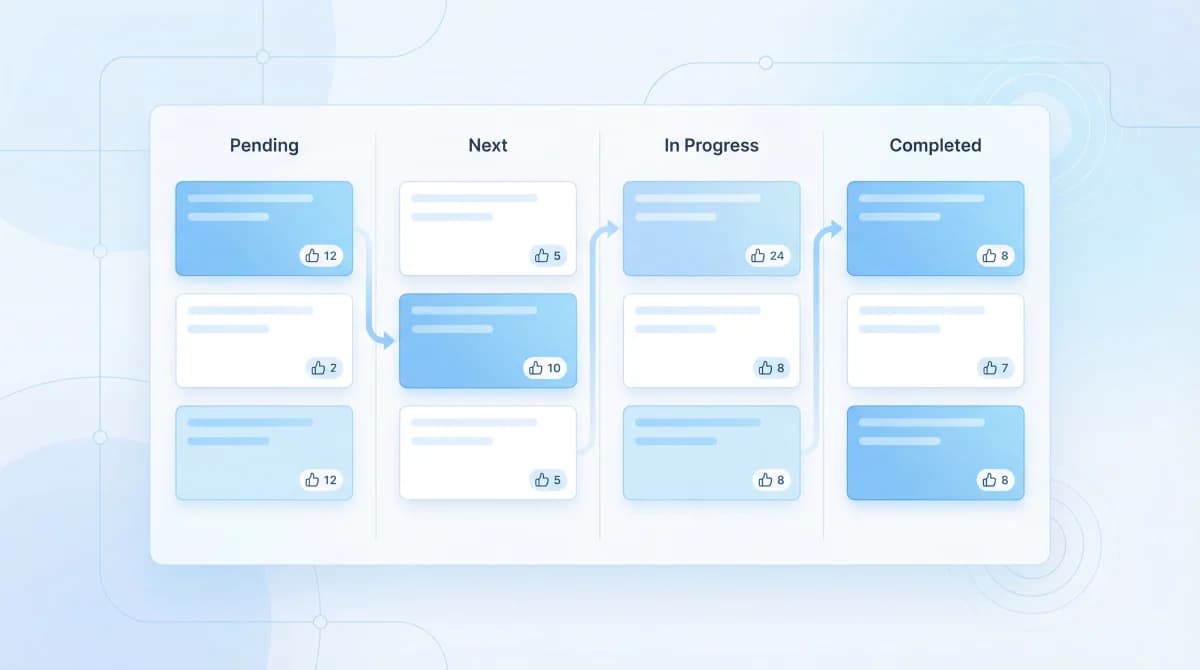
- Status workflow: moving requests through stages (Pending, Next, In Progress, Completed) so your team and users know where things stand
- Loop closure: notifying users when their requested feature ships
The difference between tracking and just collecting is the action layer. You're not just gathering ideas. You're routing them through a process that produces decisions.
Feature Request Tracking Software Compared
Before diving into the how, here's a quick look at the main feature request tracking tools available today. If you already know you need a tool and want to compare options, start here.
| Tool | Free Plan | Voting | Public Board | Widget | Starting Price |
|---|---|---|---|---|---|
| Feeqd | 3 boards, 60 entries | Yes | Yes (custom subdomain) | 18KB embed | Free / $19/mo |
| Canny | Limited | Yes | Yes | No native widget | Free / $99/mo |
| Feature Upvote | No | Yes | Yes | No | $49/mo |
| Fider | Open source | Yes | Yes | No | Free (self-host) |
| Nolt | No | Yes | Yes | No | $29/mo |
| UseResponse | Free trial | Yes | Yes | No | $49/mo |
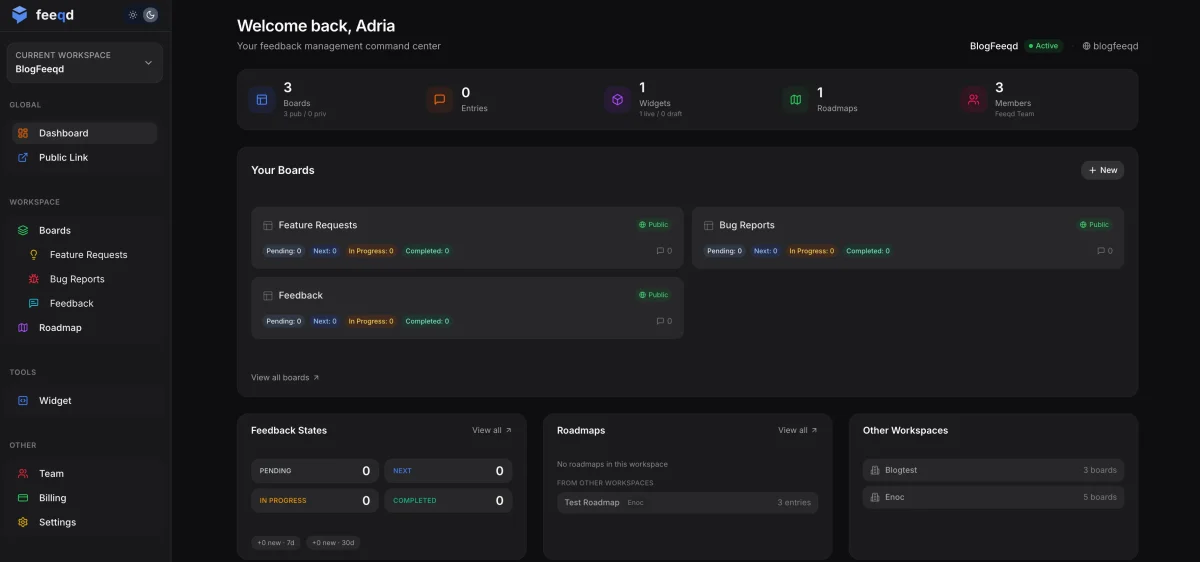
Feeqd combines all the channels into one feature request tool: an 18KB embeddable widget, public voting boards with custom subdomains (yourcompany.feeqd.com), and a Kanban roadmap that connects directly to your feedback boards. The free plan includes 3 boards and 60 entries, enough to run a real tracking workflow before committing.
Canny is the established player with deep integrations (Jira, Salesforce, Intercom). If your team already lives in those tools, Canny's integration ecosystem is its strongest advantage. The starter paid plan is $99/mo.
Fider is the best option if you want full control over your data with a self-hosted, open-source solution. You'll need technical resources to deploy and maintain it, but you get complete ownership.
Feature Upvote keeps things simple with a focused voting board. No extras, no complexity. If all you need is a public board with voting, it does that well.
Nolt offers a clean, minimal interface for feedback collection and voting. It's affordable at $29/mo but lacks advanced features like roadmaps or embeddable widgets.
Why Feature Request Tracking Matters
Skipping feature request tracking doesn't save time. It shifts the cost to worse decisions and frustrated users.
You build based on data, not gut feelings
Without tracking, product decisions default to whoever talks loudest: the big-deal prospect, the persistent support ticket, the founder's pet feature. A tracking system with voting makes demand visible and quantifiable. When 200 users vote for the same feature, that signal is hard to ignore, and hard to fabricate.
When I was building Feeqd's early features, I relied on my own assumptions about what users wanted. The moment we set up a public board and let users vote, the actual priorities looked nothing like what I expected. Features I thought were critical had 2 votes. Things I considered minor had 40+. That data changed our entire roadmap.
Users stay engaged when they feel heard
Users who submit a request and never hear back stop giving feedback. Worse, they churn. According to Pendo's State of Product Leadership report, product teams that systematically collect and act on user feedback see measurably higher retention. A public feedback board where users can see their request, watch it move from Pending to In Progress, and get notified when it ships creates a sense of partnership.
Your team saves hours every week
Product managers who track requests manually in spreadsheets or Notion spend significant time deduplicating, updating status, and cross-referencing. A dedicated feature request tool handles this automatically, letting your PM spend time on decisions instead of data entry.
Types of Feature Request Tracking Methods
Teams track feature requests in different ways, depending on their size and maturity.
Spreadsheets and Documents
The starting point for most teams. A Google Sheet or Notion table where someone manually logs requests. This works for very early-stage products (under 50 users), but breaks down fast:
- No voting or prioritization beyond manual sorting
- No way for users to submit directly
- No deduplication
- No status updates back to users
If you're using a spreadsheet, you're probably already feeling the pain that makes teams switch to a dedicated tool.
Feedback Boards with Voting
Public or private boards where users submit requests and vote on existing ones. The board becomes a self-prioritizing backlog: the most wanted features rise to the top naturally.
This is the approach most product teams settle on because it solves the three core problems: collection, prioritization, and transparency. Users do the work of deduplication (they vote on existing requests instead of creating new ones) and prioritization (vote counts reflect real demand).
Examples: Feeqd, Canny, Feature Upvote, Fider, Nolt
Support Ticket Tagging
Teams that receive most requests through support channels (Intercom, Zendesk, email) sometimes tag tickets and aggregate counts. This captures requests from support conversations but lacks the user-facing transparency and self-service voting of a feedback board.
Best for teams where users primarily communicate through support rather than self-service channels.
In-App Feedback Widgets
Embeddable widgets that let users submit requests without leaving your product. The request goes directly into your tracking system, with context about where in your app the user was when they had the idea.
The advantage here is zero friction. Users don't need to find a separate feedback page, log in to a portal, or remember to email later. The feedback button is right there in your product.
Feeqd's widget is 18KB and loads in under 50ms, so it doesn't affect your product's performance. It supports structured forms with 18 block types including text, rating, NPS, and conditional logic.
How to Set Up Feature Request Tracking
Here's the step-by-step workflow for going from zero to a working feature request tracking system. For an even more detailed walkthrough, see our guide on how to track feature requests. Need a submission form? Check our feature request templates. Want to let users vote? See our guide on feature voting boards. Comparing tools? See our feature request tracking software comparison.
Step 1: Choose your collection channels
Decide where feature requests will enter your system. Most teams use a combination:
- In-app widget: for users actively using your product
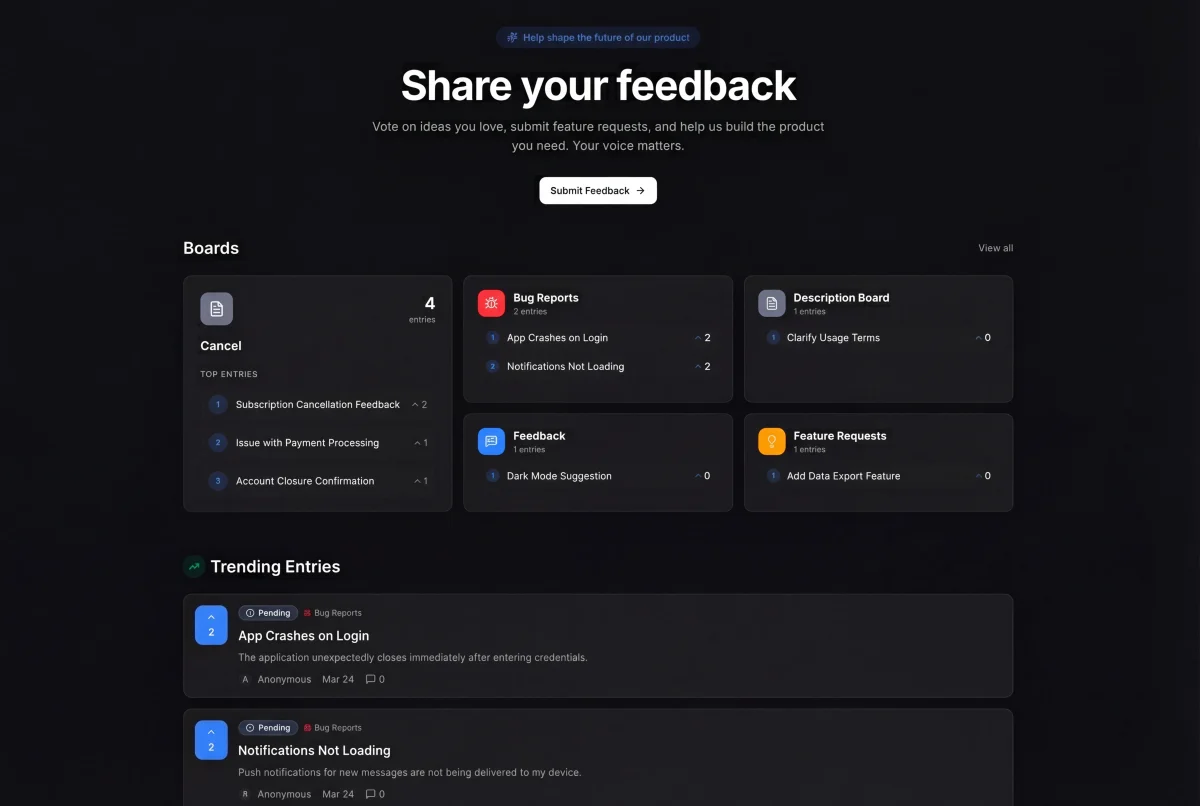
- Public feedback board: for community-driven input and voting
- Shareable links: for targeted feedback from specific user segments
- Support integration: for requests that come through help desk conversations
The goal is to funnel all requests into one system regardless of where they originate. One source of truth, multiple entry points.
Step 2: Set up categorized boards
Organize requests by type so your team can process them efficiently. Common categories:
- Feature Requests: new functionality users want
- Bugs & Fixes: things that are broken or not working as expected
- General Feedback: broader product input, UX suggestions, praise
- Custom boards: for specific product areas (e.g., "Mobile App," "API," "Billing")
In Feeqd, these correspond to four board types that you can create in seconds. Getting the first two categories right matters most: telling a bug apart from a feature request decides whether an item gets fixed fast or weighed as a roadmap trade-off.
Step 3: Enable community voting
This is the step that transforms tracking from passive collection into active prioritization. When users can vote on existing requests:
- Duplicate submissions drop because users find and vote on existing requests instead
- Priorities emerge organically from actual demand
- Your team gets quantitative data ("47 users want this") instead of qualitative anecdotes ("a few people asked for this")
Public voting boards make demand transparent, both to your team and to your users.
Step 4: Define your status workflow
Requests need to move through clear stages so everyone knows where things stand:
- Pending - received but not yet evaluated
- Next - accepted and planned for upcoming work
- In Progress - actively being built
- Completed - shipped and available
When I built the status workflow for Feeqd, I experimented with more granular states (Under Review, Researching, Designing, etc.) and found that four states is the sweet spot. More than that creates overhead without adding clarity. Users care about three things: "did you see it?", "are you building it?", and "is it done?"
Each status change is a communication opportunity. Users who voted for a feature see it move forward, which builds trust and keeps them engaged.
Step 5: Connect requests to your roadmap
Feature requests shouldn't live in isolation from your product roadmap. The most effective workflow links requests directly to roadmap items, so your team can:
- See which roadmap items have the most user demand
- Pull high-vote requests into upcoming sprints
- Show stakeholders that roadmap decisions are backed by real user data
In Feeqd, you can move entries from feedback boards to your product roadmap with one click, preserving the vote count and user context.
Step 6: Close the loop
The final and most overlooked step. When a requested feature ships, tell the people who asked for it. This is how you close the feedback loop and turn one-time requesters into long-term engaged users.
Public roadmaps make this automatic: users who follow a request can see when it moves to Completed. For higher-touch communication, send targeted feature announcements to voters.
Best Practices for Feature Request Tracking
Keep one source of truth
The moment requests live in two places (a spreadsheet AND a board, or Slack AND a tool), tracking breaks down. Funnel everything into one system. If requests come in through Slack, the process should be: log it in the tracking tool, then respond in Slack with a link.
Make voting public by default
Private tracking boards work, but public ones work better. When users can see what others are requesting and voting on, you get:
- Self-service deduplication (users vote on existing requests)
- Transparent prioritization (users understand why some features come before others)
- Community engagement (users return to check status and vote on new requests)
Review regularly with a cadence
Don't let requests pile up unreviewed. Set a weekly or biweekly cadence to review new requests, update statuses, and pull high-vote items into your planning process. Feature request tracking only works when there's a human review loop, not just collection.
Learn to say "not now" instead of "no"
Not every request will get built. That's fine. Instead of rejecting requests, use your status workflow to communicate clearly. A request sitting in "Pending" with 3 votes doesn't need action. A request with 150 votes that you're not building this quarter deserves a status update explaining why.
Common Mistakes to Avoid
Using email or Slack as your tracking system
These tools are designed for conversations, not structured tracking. Requests get buried in threads, there's no voting or prioritization, and there's no way for users to see existing requests before submitting a duplicate. The median feature request submitted via email has a 50% chance of being a duplicate that already exists in another channel.
Prioritizing only by vote count
Votes are a strong signal, but they shouldn't be the only factor. A feature with 10 votes from enterprise customers paying $500/month might matter more than one with 100 votes from free users. Use vote data as one input in your prioritization framework, not the only one.
Never updating requesters on status
If you collect feedback and never communicate back, users stop providing it. Even a status change from "Pending" to "Next" signals that you're listening. The teams that get the most value from feature request tracking are the ones that treat it as a two-way conversation.
Building everything that gets requested
Tracking feature requests doesn't mean building all of them. It means having the data to make informed decisions about which ones to build. Say no to most requests, but do it transparently and with context.
Overcomplicating the workflow
I've seen teams add 8+ status labels, mandatory fields on every request, approval gates, and categorization taxonomies before they even have 50 requests. Start simple: one board, four statuses, voting enabled. You can add complexity later when you actually need it.
FAQ
How do you organize feature requests from multiple channels?
The key is funneling everything into one system regardless of the source. Set up an in-app widget for product users, a public board for community input, and shareable links for targeted segments. When requests come in through support tickets or Slack, log them in the tracking tool manually. The system becomes the single source of truth, and the channels are just entry points.
What is a feature request?
A feature request is a suggestion from a user for new functionality or an improvement to an existing product. It can range from a simple idea ("add dark mode") to a detailed proposal with use cases and mockups. Effective feature requests include the problem the user faces, not just the solution they're proposing.
What is a request tracker?
A request tracker is software that collects, organizes, and manages incoming requests. In the product context, it specifically handles feature requests and user feedback, providing voting, prioritization, status tracking, and user notification capabilities. It differs from issue trackers (like Jira) in that it's user-facing and designed for external input rather than internal team workflows.
How do you prioritize feature requests without a large team?
Start with community voting. Let your users do the initial prioritization by voting on what matters most to them. Then apply a simple framework like RICE scoring (Reach, Impact, Confidence, Effort) to the top-voted items. Even a solo founder can run this process in under an hour per week with the right feature request tracking tool.
Get started with Feeqd for free
Let your users tell you exactly what to build next
Collect feedback, let users vote, and ship what actually matters. All in one simple tool that takes minutes to set up.
Sign up for free