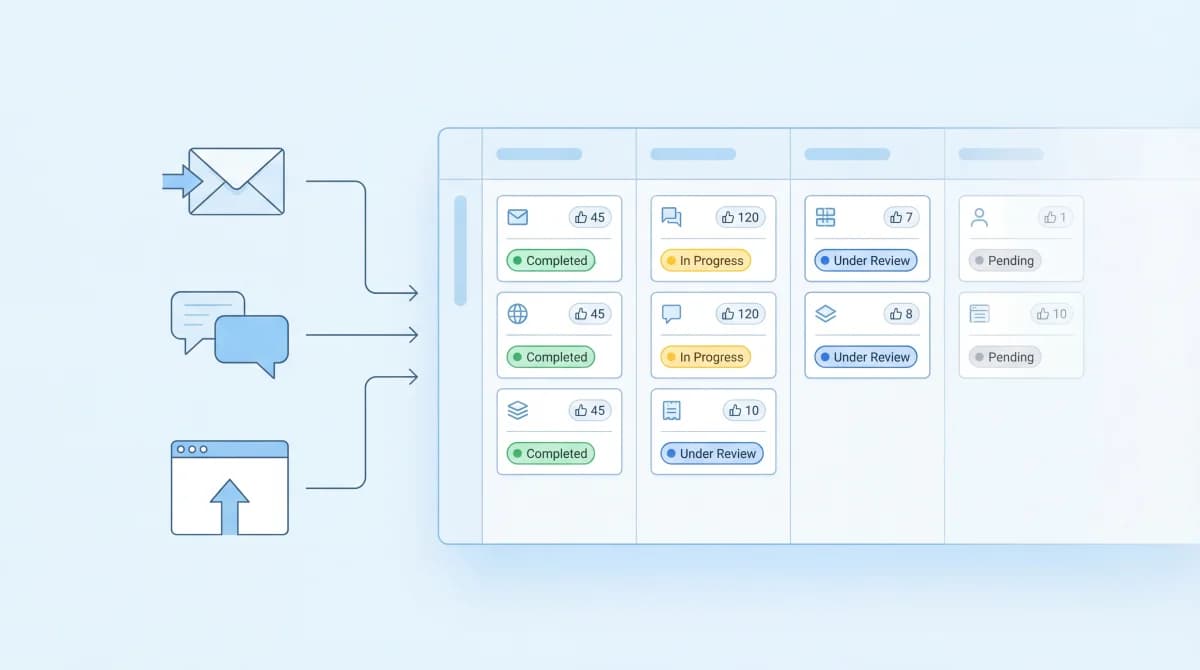
Feature requests show up everywhere: support tickets, Slack messages, emails, sales calls, tweets. The problem isn't getting requests. It's that without a system, they get lost, duplicated, or decided by whoever asked most recently.
This guide walks through a practical workflow for how to track feature requests from the moment they arrive to the moment they land on your roadmap. No theory, just steps you can implement this week.
Why Teams Fail to Track Feature Requests
The default approach for most teams is "we'll figure it out." Requests land in Slack, someone copies them into a spreadsheet, and the spreadsheet gets abandoned after two weeks. I went through this exact cycle three times before building Feeqd. The problem isn't discipline. It's that Slack and spreadsheets weren't designed for this.
The three patterns that kill feature request tracking:
- Scattered input: requests live in 5+ different channels with no central view
- No deduplication: the same request gets logged separately every time a different user asks for it, making it impossible to see actual demand
- No feedback loop: users submit requests and never hear back, so they stop submitting
A proper tracking workflow solves all three by centralizing requests, surfacing demand through voting, and keeping users informed through status updates.
Step 1: Pick One Central System
The single most important decision is choosing where all requests will live. It doesn't matter which tool you pick as long as there's only one.
Here's how the main options compare:
| Approach | Voting | Dedup | Public Board | Roadmap Link | Cost |
|---|---|---|---|---|---|
| Spreadsheet (Sheets, Notion) | Manual | Manual | No | Manual | Free |
| Feeqd | Built-in | Auto (voting) | Yes (custom subdomain) | One-click | Free / $19/mo |
| Canny | Built-in | Auto | Yes | Via integration | Free / $99/mo |
| Fider | Built-in | Auto | Yes | Manual | Free (self-host) |
| Feature Upvote | Built-in | Auto | Yes | Manual | $49/mo |
| Support tagging (Intercom, Zendesk) | No | Manual | No | Manual | Varies |
If you're reading this article, you've probably outgrown spreadsheets. A feature request tracking tool with voting is the most common upgrade. After switching from a spreadsheet to a voting board for Feeqd's own feature tracking, we saw duplicate requests drop by roughly 60% in the first month because users found and voted on existing requests instead of creating new ones.
Step 2: Set Up Your Collection Channels
Once you have a central system, connect your input channels to it. The goal is that regardless of where a request originates, it ends up in the same place.
Common channels:
- In-app widget: catches requests while users are actively using your product. Feeqd's widget is 18KB and supports structured forms with rating, text, and conditional fields, so you get useful context with every submission.
- Public feedback board: users browse existing requests, vote on the ones they care about, and submit new ones. This is where self-deduplication happens. Users find "add dark mode" already exists and vote instead of creating a duplicate.
- Shareable links: send targeted feedback links to specific user segments (beta users, enterprise accounts, churned customers) for focused input.
- Manual logging: for requests that come through Slack, email, or sales calls, have one person responsible for logging them into the system. This step is easy to skip and the first thing that breaks.
Step 3: Categorize and Tag Requests
Raw requests are hard to process in bulk. Adding structure makes review faster.
Basic categorization:
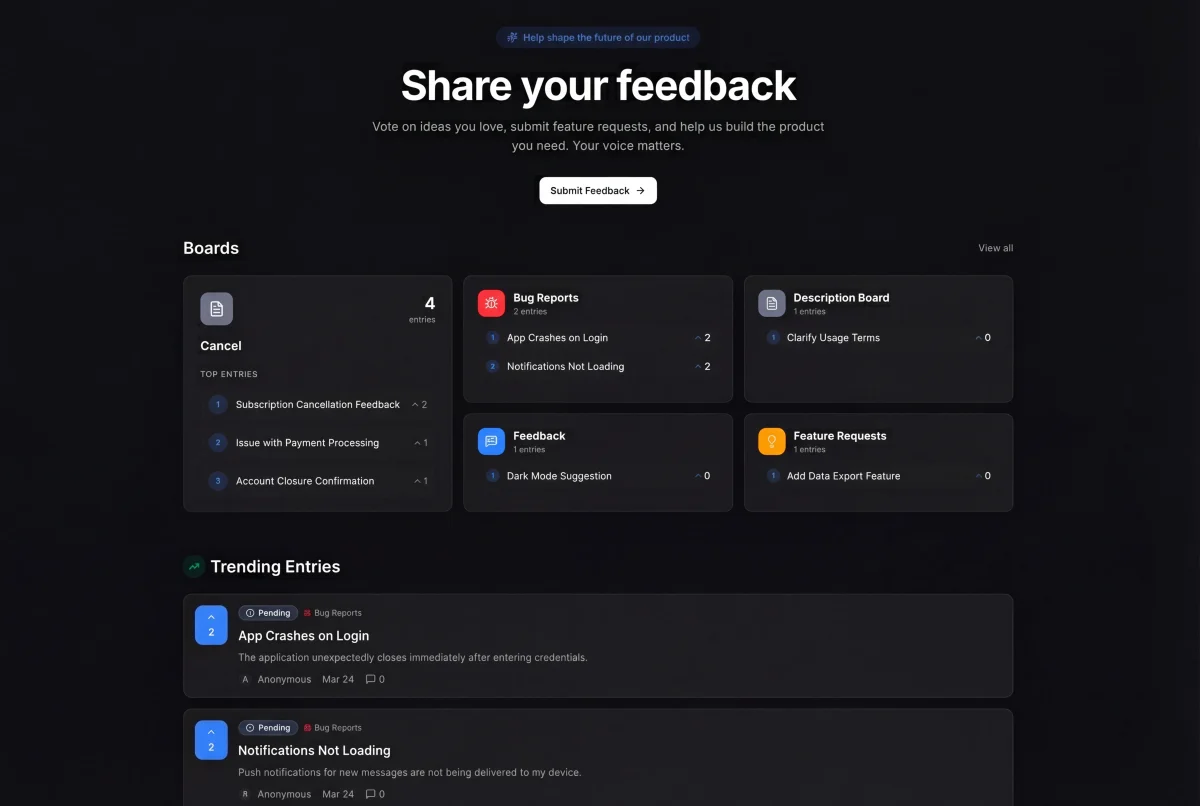
- Board type: separate boards for Feature Requests, Bugs, and General Feedback. In Feeqd, these are four board types you create during setup.
- Tags: add labels for product area (e.g., "Mobile," "API," "Billing," "Onboarding") so you can filter by what your team is currently working on.
- User segment: if your tool supports it, track whether the requester is on a free or paid plan, their company size, or their role. This context matters when prioritizing.
Don't over-engineer this. Start with 3-4 tags and add more only when you feel the need. Teams that start with 20 tags abandon tagging within a month.
Step 4: Let Users Vote
This is the step that transforms tracking from a passive list into an active prioritization engine. When users can vote on existing requests:
- Duplicates drop because users find and vote on existing requests instead of creating new ones
- Demand becomes visible: "47 users want this" is a stronger signal than "I think a few people asked for this"
- Users feel ownership: voting makes them part of the process, not just a suggestion box
Public voting boards work better than private ones. When users see what others are requesting, they engage more and submit higher-quality requests. According to Pendo's research on product-led organizations, teams that involve users in prioritization see higher engagement and retention.
Step 5: Define a Status Workflow
Every request needs to move through clear stages. This is how you communicate progress without sending individual emails.
The simplest workflow that works:
- Pending - received, not yet reviewed
- Next - accepted, planned for upcoming work
- In Progress - actively being built
- Completed - shipped and available
When I built this workflow for Feeqd, I tested more granular options (Under Review, Researching, Designing, Developing, QA). Four stages is the sweet spot. Users care about three questions: "did you see it?", "are you building it?", and "is it done?" Everything else is internal detail.
Each status change is visible on public boards, so users who voted get automatic updates without you sending a single notification.
Step 6: Review Requests on a Cadence
A tracking system without a review process is just a graveyard for ideas. Set a regular cadence:
- Weekly (recommended for most teams): review new requests, update statuses, pull high-vote items into sprint planning
- Biweekly: works for smaller teams or products with slower request volume
- Monthly: too infrequent. Requests pile up, users feel ignored, and the system loses credibility.
During each review:
- Scan new requests for duplicates and merge them
- Update statuses for requests that moved forward
- Flag high-vote requests for roadmap discussion
- Respond to or acknowledge requests that have been pending too long
Step 7: Connect Requests to Your Roadmap
Feature requests shouldn't exist in isolation from your product roadmap. The most effective workflow links them directly:
- High-vote requests get added to your roadmap as items
- Each roadmap item carries its vote count and user context
- Stakeholders can see which roadmap items have the most user demand
In Feeqd, you can move entries from feedback boards to your product roadmap with one click. The vote count follows, so your roadmap reflects real demand data.
This connection is what turns feature request tracking from a collection exercise into a decision-making tool.
Step 8: Close the Loop
When a requested feature ships, tell the people who asked for it. This is the step most teams skip, and it's the one that matters most for long-term engagement.
Options for closing the loop:
- Public roadmap: users who follow a request see it move to Completed automatically
- Status update on the board: visible to anyone who voted
- Targeted announcement: for high-demand features, write a short feature announcement highlighting what shipped and who requested it
Users who see their request get built become your most engaged advocates. They submit more requests, vote more actively, and tell others about your product. Closing the feedback loop is what makes the entire tracking system self-sustaining.
Quick Checklist
Here's the 8-step workflow as a checklist you can reference:
- Choose one central system (feedback board with voting recommended)
- Connect all input channels (widget, public board, links, manual logging)
- Set up categories and 3-4 tags
- Enable public voting
- Define 4-stage status workflow (Pending, Next, In Progress, Completed)
- Schedule weekly review cadence
- Link high-vote requests to your roadmap
- Notify users when requested features ship
FAQ
How do you manage feature requests?
Centralize all requests in one system (feedback board, not spreadsheets), enable voting so users prioritize for you, define a status workflow (Pending, Next, In Progress, Completed), and review requests weekly. The key is connecting your feature request tracking system to your roadmap so requests inform what you build, not just what you collect.
How do you measure feature usage after building a request?
Track adoption through your analytics tool (Mixpanel, Amplitude, PostHog). Compare the number of users who requested/voted for a feature against the number who actually use it after launch. This feedback loop helps you calibrate whether vote counts are reliable predictors of actual usage for your product.
What is a request tracker?
A request tracker is software designed to collect, organize, and manage incoming feature requests from users. Unlike issue trackers (Jira, Linear) which are built for internal team workflows, request trackers are user-facing: they let users submit requests, vote on existing ones, and see status updates. Examples include Feeqd, Canny, and Feature Upvote.
What are the main types of feature requests?
Feature requests generally fall into four categories: new functionality (features that don't exist yet), improvements (enhancements to existing features), integrations (connecting with other tools), and UX changes (workflow or design improvements). Tracking these separately helps your team spot patterns. If 80% of your requests are improvements, your users are telling you to polish what exists before building new things.
Get started with Feeqd for free
Let your users tell you exactly what to build next
Collect feedback, let users vote, and ship what actually matters. All in one simple tool that takes minutes to set up.
Sign up for free