Quarterly surveys are a snapshot. They tell you what users thought three months ago, filtered through whatever mood they were in when they opened the email. By the time you analyze the results and plan around them, the data is already stale.
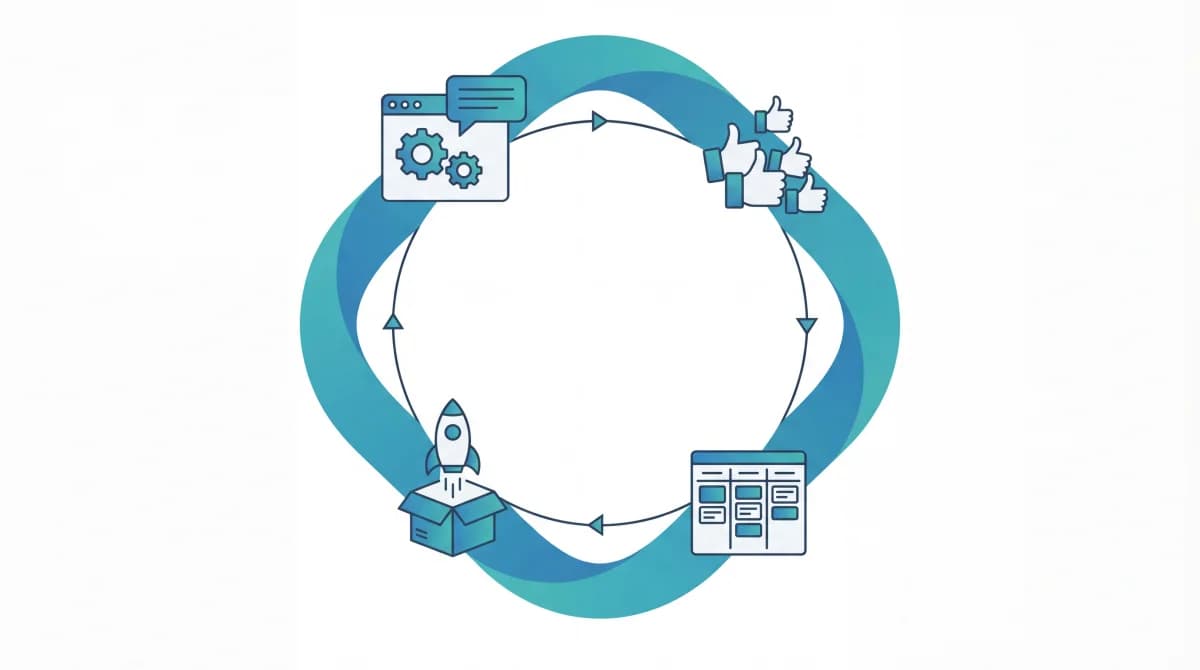
Learning how to build a continuous feedback loop into product development changes that. Instead of a snapshot, you get a live stream. Users share input whenever they have it, vote on what matters, and see their feedback move through your roadmap in real time. You don't wait for a survey window to discover that users are struggling with your onboarding flow. You find out the same week it starts happening.
I switched from quarterly NPS surveys to an always-on system when I realized that 80% of the actionable insights from our last survey had already been reported by users months earlier. We just didn't have a channel that captured them as they happened.
What Makes a Feedback Loop "Continuous"
A continuous feedback loop has three properties that periodic surveys lack:
Always accepting input. There's no survey window. Users submit feedback the moment they have it, whether that's 2 PM on a Tuesday or midnight on a Saturday. The channel is always open.
Self-prioritizing. Instead of you reading 300 survey responses and deciding what matters, users vote on existing feedback entries. Priorities emerge from collective behavior, not from your interpretation of free-text responses.
Visible progress. Users can see what happens to their feedback. Submissions move through statuses (Pending, Next, In Progress, Completed) on a public board or roadmap. This visibility is what makes the loop continuous: users see results, so they keep contributing.
Without all three, you have feedback collection, not a feedback loop. The "loop" part requires that output (shipped features, status updates) feeds back into input (more feedback, more votes).
The Four Components You Need
1. An Always-On Collection Channel
Your feedback channel needs to be where your users already are: inside your product.
An embedded feedback widget is the most effective always-on channel because it captures context. When a user hits a confusing flow and submits "I can't figure out how to export," you know exactly what page they were on and what they were trying to do. That context gets lost in a quarterly survey.
Feeqd's widget is 18KB and loads without affecting page performance. Users click a button, type their feedback, and submit without leaving your app. No new tab, no email to compose, no survey link to find.
Pair the widget with public feedback boards for input from users who aren't currently in your product. Community members, newsletter readers, and social followers can browse existing feedback, vote on what resonates, and submit new ideas.
The combination covers both in-context feedback (widget) and broad community input (boards). Together, they're always accepting input without you needing to send anything.
2. Community Voting
Voting is what makes the loop self-prioritizing. Without it, you're back to reading every piece of feedback individually and deciding what matters based on judgment.
When users can upvote existing entries, demand quantifies itself. Instead of a PM interpreting survey free-text ("a lot of people mentioned integrations"), you have a number: 94 users voted for Slack integration, 23 voted for Zapier, 67 voted for webhooks.
Voting also keeps the loop clean. Instead of 20 duplicate submissions about the same feature, one entry accumulates 20 votes. Your backlog stays organized and the signal stays measurable.
The vote ranking at the board level gives you a sorted view of user priorities at any time, not just after a survey closes.
3. A Connected Roadmap
The feedback loop breaks if collected input doesn't connect to what you build. This is where most tools fail: feedback collection lives in one system and roadmap planning lives in another, with a PM manually bridging the gap.
In a continuous loop, feedback entries link directly to roadmap items. When you move "Add CSV export" from your Feature Requests board to your roadmap, it carries its vote count and user context with it. Your roadmap becomes evidence-based by default.
A Kanban roadmap with four columns (Pending, Next, In Progress, Completed) gives both your team and your users a visual snapshot of progress. The columns map directly to the status workflow on your feedback boards, so moving an entry's status updates both the board and the roadmap simultaneously.
4. Public Visibility
The loop closes when users see what happened to their feedback. A public roadmap makes progress visible without requiring manual notifications.
Users visit your public page (something like yourcompany.feeqd.com) and see what's planned, what's in progress, and what just shipped. When their voted-for feature moves from "Next" to "In Progress," they see it. When it moves to "Completed," they know.
This visibility is the engine that keeps the loop running. Users who see their feedback turn into shipped features submit more feedback. Users who see an active, transparent roadmap trust your product more and stay longer.
Read how to close the feedback loop for a deeper dive on the communication side.
Continuous Loop vs. Periodic Surveys
Both have a place, but they solve different problems:
| Dimension | Continuous Loop | Periodic Survey |
|---|---|---|
| Timing | Always on, captures feedback in real time | Scheduled (quarterly, biannual) |
| Context | In-product, users describe issues as they happen | Retrospective, users recall from memory |
| Prioritization | Self-prioritizing via voting | Requires manual analysis |
| Response rate | Ongoing, cumulative over time | One-time burst, typically 10-30% |
| Feedback freshness | Always current | Stale by the time you act on it |
| User experience | Low friction, voluntary | Interrupts users with email/popup |
| Visibility | Users see progress on public roadmap | Users rarely see survey results |
Periodic surveys still work for targeted research: measuring satisfaction scores, testing specific hypotheses, or getting feedback on a particular feature launch. But as your primary input channel for what to build next, they're too slow and too disconnected from your development cycle.
The strongest setup is both: a continuous loop for ongoing product development input, with targeted surveys for specific research questions. The continuous loop handles "what should we build?" while surveys handle "how do users feel about what we built?" For more on using survey data effectively, see how teams use survey responses for roadmap decisions.
How to Get Started With a Continuous Feedback Loop
If you're currently relying on periodic surveys or ad-hoc feedback, here's how to transition:
Week 1: Set up the channels. Create feedback boards (Feature Requests, Bugs, General) and embed a widget in your product. Enable voting on all boards. This takes about an hour with a tool like Feeqd. If you need a deeper walkthrough, see the guide on implementing user feedback into product development.
Week 2: Seed with existing feedback. Go through your last survey results, support tickets, and any other feedback sources. Add the most common requests as entries on your boards. This gives new visitors something to vote on instead of seeing empty boards.
Week 3: Connect to your roadmap. Create a roadmap and link your top-voted entries. Set statuses based on what's already in progress. Make the roadmap public.
Week 4: Announce to users. Share your public boards and roadmap with your user base. Explain that they can submit feedback anytime, vote on existing requests, and track progress. This announcement is what activates the loop: users need to know the channel exists.
Ongoing: Review weekly, update statuses. Check new submissions and vote changes every week. Update roadmap statuses as work progresses. This takes 15-20 minutes per week and is the habit that keeps the loop alive.
Common Mistakes
Launching without seeding
Empty boards don't inspire participation. If a user visits your feedback page and sees zero entries, they don't know what to submit. Seed your boards with 10-15 real requests from your existing feedback sources before announcing the channel.
Not updating statuses
A public roadmap with items stuck in "Pending" for months sends a worse message than having no roadmap at all. If you're not going to update statuses regularly, don't make them public. Weekly status reviews are non-negotiable.
Collecting without acting
The fastest way to kill a feedback loop is to collect input and never build any of it. You don't need to ship every request, but users need to see at least some entries move from "Pending" to "Completed" within their first few months of participating. That evidence is what sustains the loop.
FAQ
How do you keep a constant feedback loop with users?
Three things: an always-on collection channel (embedded widget plus public boards), community voting for self-prioritization, and a public roadmap that shows progress. The loop stays constant because users can submit and vote anytime, and they see results without you sending manual updates. The feedback management tool guide covers the full stack.
What is a product feedback loop?
A product feedback loop is the cycle of collecting user input, acting on it, and communicating results back to users. In a continuous loop, this cycle runs constantly rather than in periodic batches. Users submit feedback through a widget or board, vote to prioritize it, and watch items move through a public roadmap from "Pending" to "Completed."
How can feedback loops improve product quality?
Continuous feedback catches issues faster than periodic surveys. When a user reports a bug through an in-product widget, your team can address it within days instead of discovering it in a quarterly review. Voting surfaces the most impactful issues first, so your team spends time on fixes that matter to the most users. According to Pendo's State of Product Leadership report, product teams that use continuous feedback mechanisms ship more relevant features and see higher user satisfaction.
How is a continuous feedback loop different from agile retrospectives?
Agile retrospectives collect internal team feedback about process. A continuous feedback loop collects external user feedback about the product. They complement each other: retrospectives improve how you build, while the feedback loop improves what you build. Some teams connect both by bringing top-voted user requests into sprint planning alongside retro action items.
Get started with Feeqd for free
Let your users tell you exactly what to build next
Collect feedback, let users vote, and ship what actually matters. All in one simple tool that takes minutes to set up.
Sign up for free