We had a Notion page called "User Feedback." It had 140 entries, no categories, and the last update was from three months ago. Every sprint planning, someone would say "we should really go through that list," and every sprint planning, we'd skip it because there was no clear way to turn 140 unstructured notes into development priorities.
The problem was never collecting feedback. We had plenty of it. The problem was that nothing connected feedback to what we actually built. No workflow, no prioritization, no visibility into whether a shipped feature even addressed what users were asking for. We needed a real process to implement user feedback into product development, not just a place to dump it.
This guide covers the implementation pipeline I built after that experience: how to take raw user feedback and turn it into shipped features with a process that doesn't depend on someone remembering to check a Notion page.
Why Most Teams Fail at Implementing User Feedback
Before getting into the how, it helps to understand what goes wrong. I've seen three patterns repeat across teams:
Feedback sits in too many places. Support tickets, Slack threads, Twitter DMs, NPS surveys, sales call notes. Each channel captures real input, but nobody has a complete picture. A feature request mentioned by 40 users across 5 channels looks like 5 separate low-priority requests instead of one high-priority signal.
No quantification. Teams collect qualitative feedback but never measure demand. "Users want dark mode" and "users want API access" both look equally important in a spreadsheet. Without a way to count how many users want each thing, prioritization defaults to whoever argues loudest in the planning meeting.
No connection between feedback and roadmap. Even when teams prioritize well, the feedback system and the roadmap live in separate tools with no link between them. You can't trace a shipped feature back to the 87 users who requested it, and those 87 users never find out it shipped.
Step 1: Centralize Your Feedback Channels
Pick one system where all feedback lives. Not "most feedback" but all of it. Every channel you maintain separately is a channel that falls behind.
Set up feedback boards organized by type: Feature Requests, Bugs & Fixes, General Feedback, and any custom categories your product needs. Each board becomes a structured inbox.
For collection, use two channels that complement each other:
- An embedded widget for in-context feedback. When a user hits a frustrating flow or has an idea while using your product, they submit it without leaving the page. Feeqd's widget is 18KB, so it doesn't affect load time.
- Public board links for feedback from users who aren't currently in your product. Share these in your community, newsletter, or onboarding emails.
The goal is zero friction between "I have feedback" and "it's in the system." Every extra click or form field costs you submissions.
Step 2: Let Users Quantify Demand Through Voting
This step transforms feedback from a list of opinions into a prioritization tool.
When users can upvote existing feedback entries, you stop guessing which requests matter and start measuring. A feature request with 90 votes is objectively more demanded than one with 4 votes. That's not something you could determine from reading both requests in a spreadsheet.
Voting also reduces duplicate submissions. Instead of 15 users each writing "add Slack integration" in slightly different words, one entry accumulates 15 votes. Your backlog stays clean and the signal stays clear.
Here's what I recommend watching for once voting is active:
- Vote velocity. An entry that gets 30 votes in a week is a hotter signal than one that accumulated 30 votes over six months.
- Vote distribution. If your top 3 entries have 200+ votes each and everything else has under 10, your users have very clear priorities. If votes are spread evenly across 50 entries, the signal is weaker and you'll need additional context to prioritize.
- Segment patterns. Do paid users vote for different features than free users? Do power users want different things than casual ones? These patterns shape not just what you build, but for whom.
Vote rankings at the board level give you a sorted view of demand. Use this as the starting input for every planning cycle, not the only input, but always the starting point.
Step 3: Connect Feedback to Your Roadmap
This is the step that most tools and processes skip entirely. You've collected feedback and quantified demand. Now you need to connect that data to what you actually build.
Create a roadmap and link feedback entries directly to roadmap items. Each roadmap item should trace back to the votes and conversations that inspired it. In Feeqd, you can add entries to a roadmap individually or bulk-add from a board, and each item carries its vote count and status.
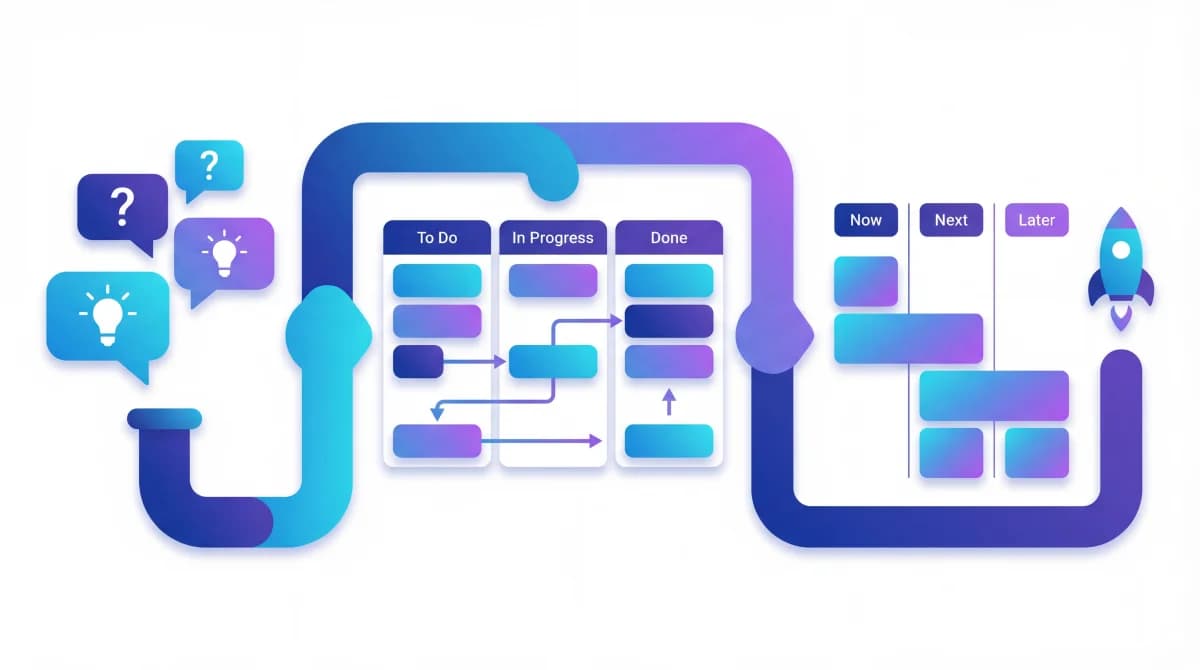
Use a four-column Kanban layout that maps to your workflow:
- Pending: acknowledged, not yet planned
- Next: committed for an upcoming cycle
- In Progress: actively being built
- Completed: shipped
The Kanban view gives your team a visual snapshot of what's in flight, and the linked feedback entries provide the "why" behind every item. When someone asks "why are we building CSV export?", the answer isn't "because the PM thinks it's important." It's "because 73 users requested it and it's our fourth most-voted feature."
For the actual prioritization decision (what moves from Pending to Next), combine vote count with effort estimates. A quick win with 40 votes might deliver more sprint value than a massive feature with 60 votes that takes two months. The RICE scoring framework formalizes this, but votes give you the "Impact" dimension for free.
Step 4: Ship and Communicate Back
Building what users asked for is half the implementation. Communicating that you did it is the other half.
When a roadmap item moves to "Completed," the users who requested and voted for it need to know. This is how you close the feedback loop, and it's what separates teams that collect feedback from teams that actually implement it.
A public roadmap handles this at scale. Instead of emailing every user individually, you update one status and everyone who's watching can see the change. Users visit your public roadmap at any time and see what's Pending, what's Next, what's In Progress, and what just shipped.
This visibility creates a positive cycle:
- User submits feedback and sees it acknowledged on the board
- Other users vote on it, building visible demand
- The item appears on the public roadmap as "Next"
- It moves to "In Progress" and then "Completed"
- The user sees their feedback turned into a shipped feature
- They submit more feedback because they know it leads somewhere
That cycle is the implementation pipeline. It doesn't require a complex tool stack or a dedicated feedback manager. It requires a connected system where feedback flows into boards, boards feed roadmaps, and roadmaps are visible to users.
Common Mistakes
Treating implementation as a one-time project
Implementing user feedback isn't a process you set up once. It's a continuous commitment. The moment you stop updating statuses or reviewing new submissions, the system decays and users lose trust. Assign ownership: someone on your team should review new feedback submissions weekly.
Over-filtering before voting
Some teams try to curate feedback before users see it, removing "bad" suggestions or merging entries too aggressively. Resist this. Let users see the full picture and vote on what they care about. You'll be surprised by what gets votes. Filtering should happen after voting, not before.
Ignoring small-vote-count entries
High-vote entries get attention naturally. But entries with 5-10 votes often represent emerging needs or niche segments that will grow. Review your low-vote entries quarterly to catch trends before they become urgent.
No follow-up after shipping
Shipping a feature isn't the end of implementation. Ask the users who requested it whether the implementation meets their needs. This follow-up catches gaps early and reinforces the loop. Read more about this in how teams use survey responses for roadmap decisions.
FAQ
How do you approach user feedback as a PM?
Start by centralizing all feedback into one system with voting. Use vote counts as your primary demand signal during planning. Connect feedback entries to roadmap items so every planned feature traces back to real user requests. Review new feedback weekly, update statuses as work progresses, and communicate shipped features back to users through a public roadmap.
How do you turn customer feedback into product decisions?
Quantify demand through community voting instead of relying on subjective interpretation. When 90 users vote for a feature versus 5 for another, the priority becomes data-driven. Combine vote data with effort estimates to decide what to build each cycle. The customer feedback to product roadmap workflow covers this in detail.
How can we integrate feedback from users into your design process?
Collect feedback continuously through an embedded widget and public boards, not just during research phases. When users submit feedback in context (while using your product), you get more specific and actionable input than from scheduled interviews. Use this ongoing input alongside design sprints: check your top-voted requests before every design cycle.
What is the best way to collect product feedback?
Multiple channels working together. An in-product widget captures contextual feedback (bugs, friction points, feature ideas while using the app). Public feedback boards capture broader feature requests from your community. The key is routing both channels into the same system with voting so you can measure demand across all inputs.
Get started with Feeqd for free
Let your users tell you exactly what to build next
Collect feedback, let users vote, and ship what actually matters. All in one simple tool that takes minutes to set up.
Sign up for free