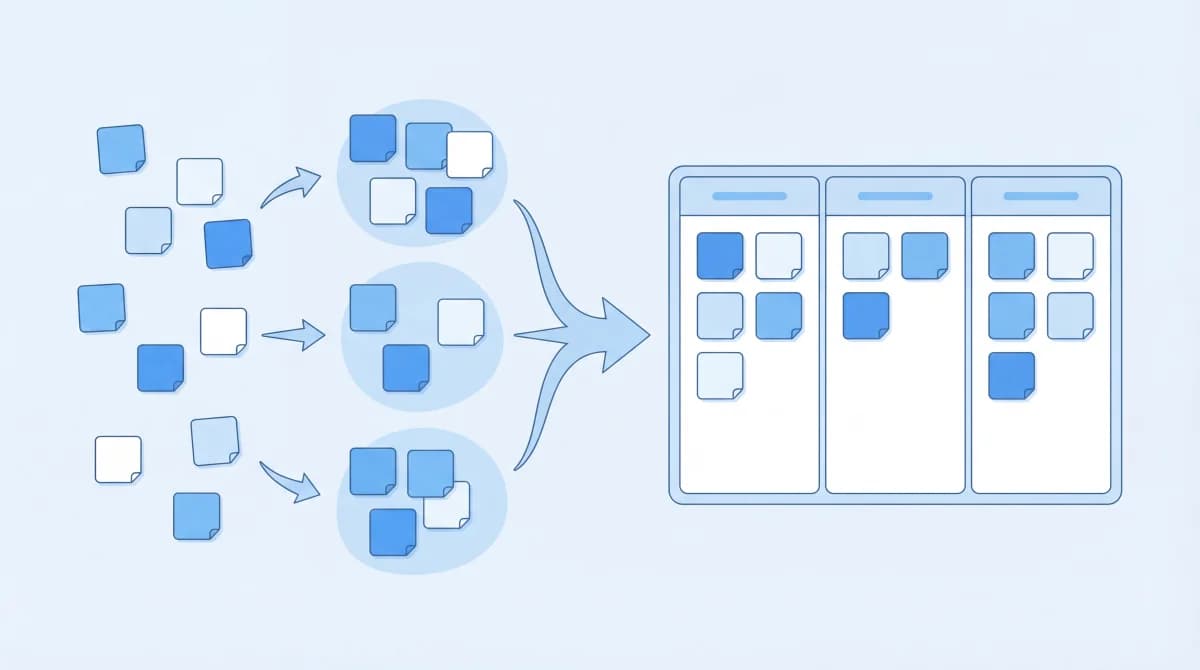
Most product roadmaps fail for the same reason: they're built on assumptions instead of data. A PM locks themselves in a room, surveys the competitive landscape, talks to a few stakeholders, and produces a timeline that looks great in a presentation but doesn't reflect what users actually need.
This guide walks through how to create a product roadmap step by step, with a focus on making it feedback-driven and sustainable. Whether you're building your first roadmap or rebuilding one that nobody trusts, these steps apply.
Step 1: Define Your Product Vision
Before you decide what to build, define why your product exists. The vision is the filter that every roadmap item passes through. If a feature doesn't serve the vision, it doesn't belong on the roadmap, no matter how many votes it gets.
A good product vision is:
- Specific enough to guide decisions: "Help product teams build what users actually want" is better than "improve product management"
- Stable over time: the vision shouldn't change quarterly. Individual roadmap items do.
- Understandable by everyone: if a new engineer can't explain your vision after reading it once, it's too complicated
Write your vision in one sentence. If you need a paragraph, you haven't refined it enough. Keep it visible wherever your roadmap lives.
Step 2: Gather Input from Users and Stakeholders
This is where most roadmaps go wrong. Teams either skip user input entirely (building from internal assumptions) or collect so much input that they can't process it.
Sources of input, ranked by reliability:
- User voting data: the most objective signal. When 150 users vote for a feature on your feedback board, that's quantified demand, not opinion.
- Support ticket patterns: recurring issues and requests from support conversations. Look for frequency, not just individual complaints.
- Usage analytics: what users actually do in your product. Low adoption of a feature might mean it needs improvement, not that nobody wants it.
- Sales feedback: what prospects ask for during demos. Be careful here because sales feedback is biased toward deals in the pipeline, not your entire user base.
- Stakeholder requests: internal ideas from leadership, engineering, and design. Valuable but should be weighed against user data, not prioritized above it.
If you don't have a feedback collection system yet, start with a public feedback board with voting. You'll have more useful data in two weeks than months of stakeholder meetings produce.
When I set up Feeqd's first feedback board, I expected the top requests to mirror what our team had been discussing internally. They didn't. Our internal priorities and user priorities overlapped on maybe 30% of items. The other 70% was a wake-up call that shaped our entire roadmap.
Step 3: Identify Themes and Goals
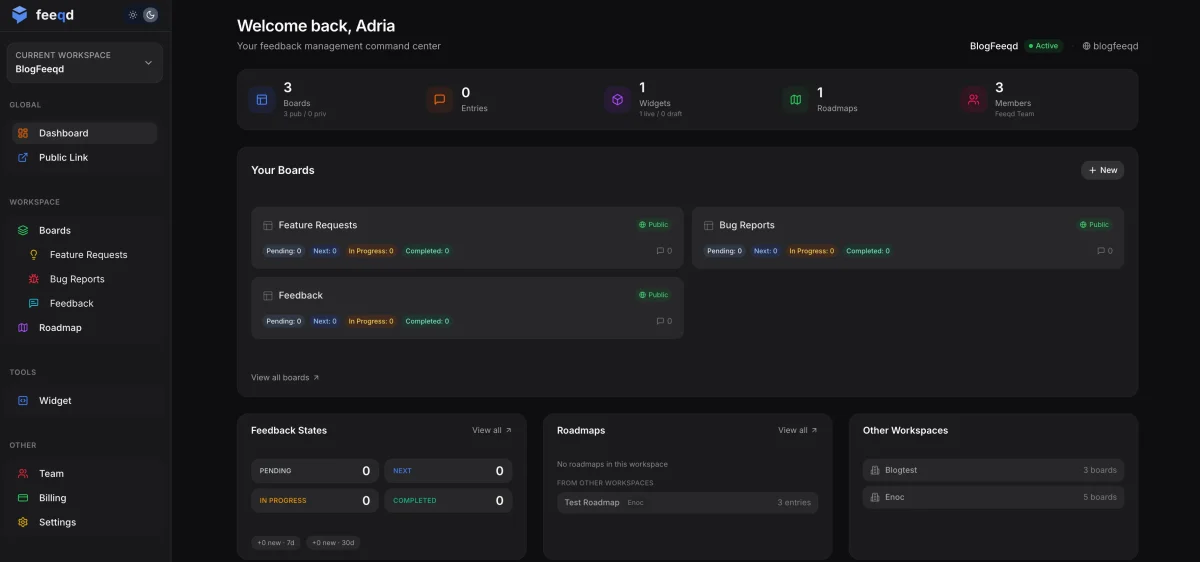
Don't jump straight from raw feedback to roadmap items. First, group requests into themes that map to your business goals.
Example themes:
- Activation: features that help new users reach their "aha moment" faster
- Retention: improvements that reduce churn for existing users
- Expansion: capabilities that unlock upgrades or new use cases
- Technical debt: infrastructure work that enables future features
Each theme should have a measurable goal. "Improve onboarding" is vague. "Reduce time-to-first-value from 15 minutes to 5 minutes" is a goal you can track.
Mapping feedback to themes prevents your roadmap from becoming a random feature list. Instead of "dark mode, API v2, mobile app, SSO," you get:
- Retention theme: dark mode (voted by 200 users), notification preferences (120 votes)
- Expansion theme: API v2 (85 votes, all enterprise accounts), SSO (60 votes, enterprise)
This structure makes prioritization conversations concrete. You're not debating whether dark mode or API v2 is "more important." You're deciding whether retention or expansion matters more this quarter, based on data, not opinions.
Step 4: Prioritize with Data
Now take your themed requests and rank them. The best prioritization combines user demand data with strategic judgment.
A simple framework that works:
For each candidate roadmap item, score on three dimensions:
- Demand: how many users voted for it? Weight votes from paying users higher.
- Impact: how much does this move your key metric (activation, retention, revenue)?
- Effort: how long will it take your team to build?
You can formalize this with RICE scoring (Reach, Impact, Confidence, Effort) or keep it simple with a high/medium/low matrix. The point is making the tradeoffs explicit rather than implicit.
What I've learned building Feeqd is that the vote count alone is a surprisingly good first filter. Features with 100+ votes almost always have high impact. Features with under 10 votes rarely justify the effort unless they're strategic bets. The exceptions are enterprise features (low vote count but high revenue impact per vote) and infrastructure work (zero votes but enables future features).
When we prioritized our roadmap for Q1, vote data contradicted what stakeholders wanted on three out of five items. In each case, building what users voted for produced better outcomes than the internal favorite. That pattern has held consistently enough that we now start every prioritization with "what does the voting data say?" before any internal discussion.
Step 5: Choose Your Roadmap Format
How you present your roadmap depends on who's reading it. Here's a comparison of the main formats:
| Format | Best For | Date Commitment | Flexibility | Audience |
|---|---|---|---|---|
| Now / Next / Later | Agile teams, public roadmaps | None | High | All audiences |
| Timeline / Gantt | Release planning, enterprise clients | Specific dates | Low | Executives, clients |
| Theme-based | Strategic alignment, board meetings | Quarterly | Medium | Leadership |
| Kanban board | Sprint-level visibility | Sprint-based | High | Product + engineering |
Now / Next / Later
The most flexible format. Avoids date commitments while clearly communicating priority. Each bucket represents proximity, not specific timelines:
- Now: actively being built (this sprint/month)
- Next: committed, coming soon (next 1-2 months)
- Later: planned but not committed (this quarter or beyond)
This is what we use at Feeqd and what I recommend for most teams. It maps naturally to a Kanban roadmap with four columns (Pending, Next, In Progress, Completed).
Timeline / Gantt
Date-based roadmaps with specific delivery windows. Best for teams with fixed release cycles, contractual deadlines, or enterprise customers who need delivery dates in writing.
Use when: you have high confidence in delivery timelines and your audience expects specific dates. Avoid when: your team works in agile sprints where scope and timing shift regularly.
Theme-based
Organized by strategic themes (the ones from Step 3) rather than time or priority. Each theme shows its constituent features and progress.
Use when: presenting to executives who care about strategic alignment more than individual features. Avoid when: your audience needs to know what's coming next specifically.
Creating a roadmap in a spreadsheet
If you're not ready for dedicated product roadmap software, you can start with a spreadsheet. Create a Google Sheet or Excel file with these columns:
- Feature name
- Theme (from Step 3)
- Status (Now / Next / Later)
- Vote count or demand signal
- Effort estimate (S / M / L)
- Owner
This works for teams under 20 people or products with fewer than 30 roadmap items. Beyond that, the lack of visual views, public sharing, and automatic status updates makes a spreadsheet more work than a dedicated tool.
Step 6: Create Your Product Roadmap
With your prioritized items and format chosen, it's time to actually build it. Here's what goes on the roadmap and what doesn't.
Include:
- Features and improvements backed by user demand or strategic goals
- Status for each item (Pending, Next, In Progress, Completed)
- The "why" for each item, linking back to the user feedback or business goal that justified it
- Vote count or demand signal where available
Exclude:
- Bug fixes (unless they're significant enough to be user-facing milestones)
- Internal tasks (refactoring, test coverage, tooling) unless they enable a visible feature
- Speculative items with no demand signal and no strategic justification
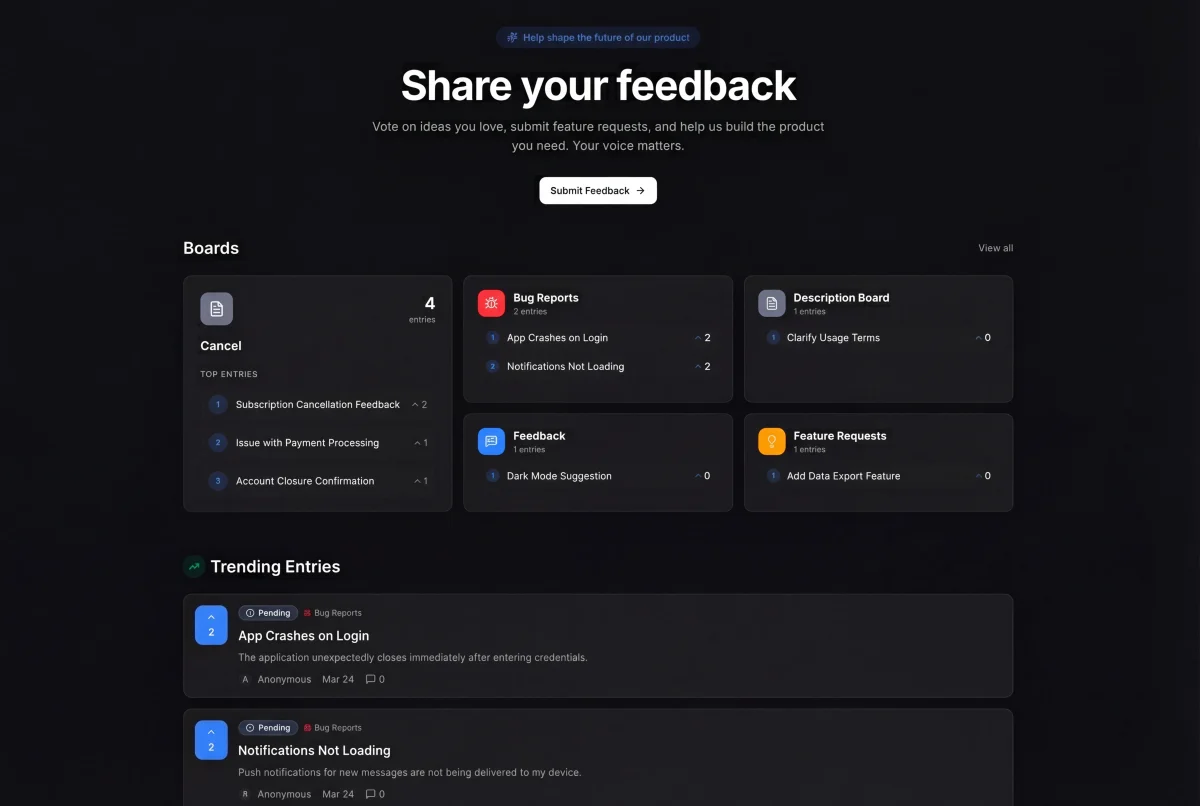
In Feeqd, each roadmap item links back to its source feedback entry, so anyone can see why it's on the roadmap and how many users requested it.
Step 7: Share It and Keep It Alive
A roadmap that only lives in the PM's head (or a forgotten Notion page) isn't a roadmap. It's a plan that nobody else can follow.
Share with your team
Everyone building the product should know what's coming and why. The roadmap is their context for daily decisions. Share it in your team wiki, pin it in Slack, and reference it in sprint planning.
Share with customers
Making your roadmap public builds trust. Users see you're actively building, and they can track the features they voted for. In Feeqd, public roadmaps live on your workspace subdomain (yourcompany.feeqd.com), visible to anyone without login.
I was nervous about making Feeqd's roadmap public for the first time. The concern was that competitors would see our plans or that users would hold us to every item. What actually happened was the opposite: users started checking the roadmap weekly, engagement on feedback boards increased, and the transparency became a selling point in sales conversations.
Update regularly
Review and update your roadmap at least weekly. As items move through stages, new feedback arrives, and priorities shift, your roadmap should reflect the current state, not last month's plan.
The Agile Alliance recommends treating your roadmap as a "living document" that evolves with every sprint. If your roadmap hasn't changed in a month, either your product is done or your roadmap is dead.
Product Roadmap Template: Quick Start
Here's a minimal template for creating your first feedback-driven roadmap:
Vision: (one sentence: why your product exists)
Now (this sprint/month):
- Feature A (120 votes, retention theme, M effort)
- Feature B (85 votes, activation theme, S effort)
Next (1-2 months):
- Feature C (60 votes, expansion theme, L effort)
- Feature D (45 votes, retention theme, M effort)
Later (this quarter):
- Feature E (30 votes, expansion theme, L effort)
- Feature F (strategic bet, no votes, S effort)
Review cadence: Weekly on Mondays Public: Yes / No Tool: Feeqd / Spreadsheet / Other
Copy this structure into your tool of choice. The format matters less than having real user data to fill it with. If you don't have voting data yet, start with a feedback board and you'll have prioritization data within two weeks.
Common Mistakes When Creating a Roadmap
Starting with solutions instead of problems
"Build dark mode" is a solution. "Users with light sensitivity struggle to use our product for extended sessions" is a problem. Start with problems, then evaluate which solutions address them best. Sometimes the right solution isn't the most requested one.
Treating the roadmap as permanent
A roadmap is a plan based on current information. New user data, market changes, or technical discoveries should change it. Teams that treat the roadmap as a fixed commitment end up building features that no longer make sense by the time they ship.
Skipping the feedback connection
If your roadmap items don't trace back to user feedback or clear business goals, you're guessing. Connect your feedback system to your roadmap so every item has a justification that's visible to the team.
Planning too far ahead
A quarterly roadmap with "Now/Next/Later" is sufficient for most teams. Annual roadmaps with specific features are fiction. The further out you plan, the less reliable the plan becomes. Focus your detail on "Now" and keep "Later" at the theme level.
FAQ
Can ChatGPT create a roadmap?
ChatGPT can help brainstorm features, draft descriptions, create a now-next-later framework, or prioritize a list of ideas. But it can't replace the process of gathering real user feedback, analyzing voting data, and making tradeoffs with your team. Use it as a brainstorming tool, not a roadmap tool. The real value of a roadmap comes from live user data and ongoing updates that a static conversation can't provide.
How do I create a product roadmap template?
Start with a simple Kanban board: four columns (Now, Next, Later, Done), with cards for each feature. Each card should include: feature name, a one-sentence "why," vote count or demand signal, and current status. You can build this in a spreadsheet, Notion, or a dedicated roadmap tool. See the template section above for a ready-to-use starting point.
How do I create a roadmap in Excel?
Create a spreadsheet with columns for Feature Name, Theme, Status (Now/Next/Later), Vote Count, Effort (S/M/L), and Owner. Use conditional formatting to color-code statuses. This works for simple roadmaps, but you'll lose public sharing, automatic status updates, and feedback integration. When your roadmap outgrows the spreadsheet, switch to a dedicated tool.
What's the difference between a roadmap and a backlog?
A backlog is everything you could build. A roadmap is what you've decided to build and in what order. The backlog is internal and exhaustive. The roadmap is selective, strategic, and often shared publicly. Think of the roadmap as the filtered, prioritized output of your backlog.
Get started with Feeqd for free
Let your users tell you exactly what to build next
Collect feedback, let users vote, and ship what actually matters. All in one simple tool that takes minutes to set up.
Sign up for free