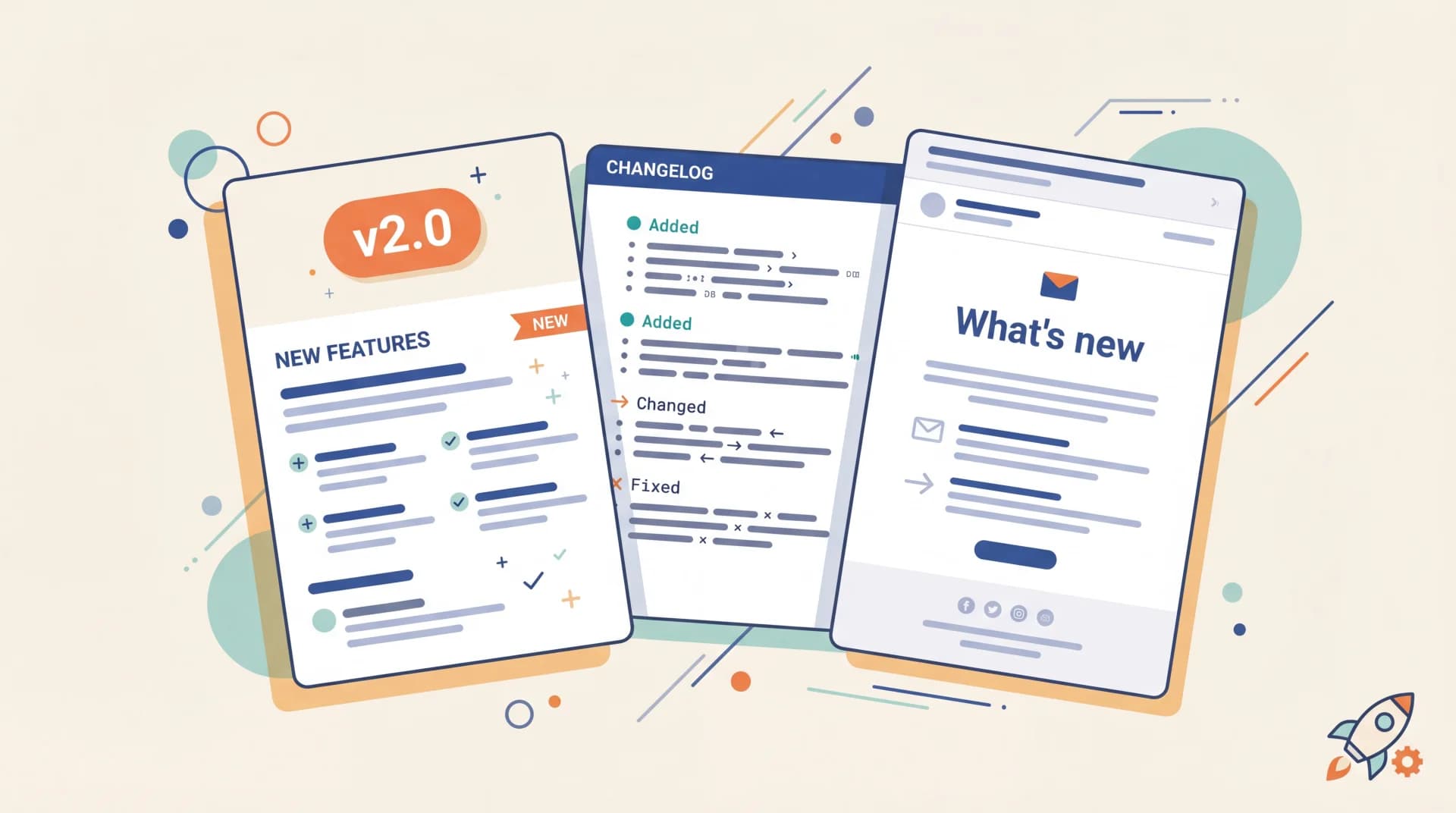
Most release notes templates on the internet have the same three sections: "New Features / Bug Fixes / Known Issues." That format is fine for a README. It's a terrible fit for the actual job of release notes, which is communicating change to a specific audience, through a specific channel, for a specific type of release.
A hotfix sent to developers over Slack needs a different template than a major release announced in an email newsletter. A deprecation notice aimed at enterprise admins reads nothing like a beta preview posted in a public changelog.
This guide gives you 10 release notes templates (plus a bonus executive summary format) organized along three axes: by release type, by channel, and by audience. Copy any of them into Notion, Confluence, your CMS, or your changelog tool. I've been writing release notes at Feeqd for two years across every channel here, and what works is almost always the template that matches the job, not the "universal" one.
What Are Release Notes?
Release notes are structured communication that describes what changed in a product release, who's affected, and what users need to do about it. They typically include the release date, version number, new features, improvements, fixes, and any breaking changes. Release notes differ from a changelog in scope: release notes are audience-facing and often distributed across channels (email, in-app, Slack), while a changelog is a permanent, chronologically ordered record hosted at a stable URL. Most product teams produce both, sometimes using the same template engine.
The 3-Dimension Framework for Release Notes
Before the templates, understand the three dimensions. Every release note lives at the intersection of three choices:
- Release type: major, minor, hotfix, beta, deprecation
- Channel: email, in-app, Slack, public changelog, docs
- Audience: developers, end-users, executives
Generic templates fail because they ignore these dimensions. A major release to end-users via email should emphasize benefits and screenshots. A hotfix to developers on Slack should emphasize the fix, affected versions, and rollback steps. Same software event, completely different note.
Pick your dimensions first, then pick the template. Most teams need 2-3 templates in active use, not a single one for everything.
Release Notes Templates by Release Type
1. Major Release Template
Use when shipping a significant feature or overhauling an existing one. Readers are end-users and sometimes executives. Optimize for clarity of impact and visual interest.
# {Product} {Version}: {Release Name}

**Released:** {YYYY-MM-DD}
**TL;DR:** {One sentence describing the headline change and its benefit}

## What's new

### {Feature 1 name}
{2-3 sentence description focused on what users can now do. Include a screenshot or GIF if possible.}

**Who this is for:** {User segment}
**Docs:** [{link}]

### {Feature 2 name}
{Same structure}

## Improvements
- {Bullet: specific improvement with context}
- {Bullet: measurable change, e.g., "Search is now 40% faster"}

## Fixes
- {Bullet: user-facing bug fix described in plain language}

## Breaking changes
{If any: be explicit. Include migration steps or link to migration guide.}

## What's next
{Optional: preview of what's coming in the next release to drive engagement}

---
Questions? {contact link} | [Full changelog]({link})
2. Minor Release / Feature Update Template
Use for single-feature updates or modest iterations. Shorter, more direct.
## {Feature name} is live

{1-2 sentence description of what this does.}

**What changed:** {Specific behavior change}
**Who this helps:** {Target user}
**How to use it:** {Path or action, e.g., "Settings → Integrations → Enable Slack"}

[Read the docs]({link}) · [Try it now]({link})

*Shipped {YYYY-MM-DD} based on {N} customer requests on our feedback board.*
The last line is what I call the feedback-driven footer. If you track requests on a feedback board, reference the request count in every release note. It proves you listen and it makes the note harder to ignore.
3. Hotfix / Patch Template
Use for urgent bug fixes. Readers are anyone affected or their support contacts. Optimize for scannability and status clarity.
# Hotfix {version}: {YYYY-MM-DD HH:MM UTC}

**Severity:** {Critical | High | Medium}
**Impact:** {Who was affected and how}
**Status:** {Fixed | Mitigated | Rolling out}

## Issue
{1-2 sentences on the symptom users experienced.}

## Resolution
{1 sentence on what we changed.}

## Affected versions
- {Version range}

## What you need to do
{"Nothing: auto-deployed" OR "Update to version X" OR specific steps}

## Post-mortem
{Link to incident post-mortem if public, or "Internal review in progress"}
4. Beta / Early Access Template
Use when releasing features to a subset of users before general availability. Set expectations explicitly. For the full set of templates that go alongside a beta program (recruitment email, welcome kit, weekly update, wrap-up survey, ship-day notification), see our companion beta test plan template post; for the operational framework behind those templates, see how to run a beta test.
## {Feature name}: now in beta

**Available to:** {Beta cohort, e.g., "Pro plan, opt-in"}
**Stability:** {Expect bugs | Stable, feedback wanted}
**GA target:** {Quarter/month}

### What it does
{Short description with one clear use case.}

### How to get access
{Steps to opt in}

### What we want to learn
- {Specific feedback question 1}
- {Specific feedback question 2}

### Known limitations
- {Limitation 1}
- {Limitation 2}

[Share feedback]({link to feedback widget or board})
The feedback loop is the whole point of a beta release note. Make the feedback channel a one-click link, not a "contact us if you find issues" disclaimer. This is where a continuous voice of the customer process earns its keep: the beta release is the collection trigger, and the note is the invitation.
5. Deprecation Notice Template
Use when removing a feature, endpoint, or legacy behavior. Readers need action items and timeline clarity above all else.
# Deprecation notice: {feature/API endpoint}

**Deprecation date:** {YYYY-MM-DD} (today or past date)
**End-of-life date:** {YYYY-MM-DD} ({N} days/months from now)
**Replacement:** {Link to replacement feature/endpoint}

## Why we're removing this
{1-2 sentences of honest reasoning.}

## Who's affected
{Specific criteria: which plan, which API version, which use case}

## What you need to do

### If you use {legacy feature}
1. {Step}
2. {Step}
3. {Step}

### Migration timeline
- **Now:** {deprecation start, warnings added}
- **{Date}:** {Intermediate milestone, e.g., "new accounts can't use this"}
- **{EOL date}:** {Feature removed}

## Support during migration
{Contact/office hours/dedicated channel}

[Migration guide]({link})
Release Notes Templates by Channel
6. Email / Newsletter Release Notes Template
Email has one job: get the reader to click through. Keep it short, benefit-led, visual.
Subject: {Product} just shipped {specific thing you asked for}

Hi {first name},

You asked. We built. {Feature name} is live.

**What it does:** {One sentence on outcome for the user}

**Why it matters for you:** {One sentence tied to the reader's job}

[Screenshot or GIF: max 600px wide]

[Try it now]({link})

---
You voted for this feature {N} months ago. Thanks for pushing us.

Not using {Feature name}? Here's what else we shipped this month:
- {Second feature, 1 line}
- {Third feature, 1 line}

[Full release notes]({link})
Segment the email to users who specifically requested the feature if your feedback tool supports it. Across the last year of Feeqd releases, generic product newsletters landed in the 20-25% open-rate range, while segmented notes to users who had voted for the specific feature consistently hit 55-65%. Same copy, better targeting.
7. In-App Release Notes Template
Shown on first load after a release. Constrained by screen real estate.
### 🎉 New in {Product}

**{Feature name}**
{One sentence. What changed, what it does.}

[Try it] [Learn more] [Dismiss]
Keep it under 30 words of body copy. Link to the full release notes for users who want more. Don't stack multiple features in one in-app note: run them sequentially or tie them to the feature they apply to.
8. Slack / Discord Release Notes Template
Use for developer-facing releases, internal changelogs, or community announcements.
:rocket: **{Product} {version} shipped**

*{One-sentence headline}*

**New**
• {Feature 1: one line}
• {Feature 2: one line}

**Fixed**
• {Fix 1}
• {Fix 2}

**Breaking**
• {Change: link to migration}

Full notes: {link}
Questions in #{channel}
Slack consumption is scroll-based, not read-based. The first line has to carry the message alone, because that's what most readers will see.
9. Public Changelog Template
Permanent record hosted at a stable URL like /changelog or a dedicated subdomain. Readers are evaluators, current customers, prospective customers, and your own team.
## {Version}: {YYYY-MM-DD}

### Added
- {Feature with 1-2 sentence context}

### Changed
- {Change with user-facing impact explained}

### Fixed
- {Fix with symptom described}

### Deprecated
- {Deprecated feature with timeline}

### Security
- {If applicable, per keepachangelog.com}
This follows the Keep a Changelog spec, which is the closest thing to a universal standard for public changelogs. Sticking to it makes your changelog parseable by tools, RSS readers, and, increasingly, AI assistants.
Release Notes Templates by Audience
10. Developer-Facing Technical Release Notes Template
For SDK releases, API updates, internal platform changes. Audience wants signal density, version specifics, and code.
# {Package name} v{semver}

**Released:** {YYYY-MM-DD}
**Install:** `npm install {package}@{version}` | `pip install {package}=={version}`

## Breaking changes
- `{method.signature}`: {what changed and why}
  - Migration: `{before → after code example}`

## New
- `{method.signature}`: {behavior}
- `{endpoint}`: {behavior}

## Changed
- `{affected surface}`: {what changed}

## Deprecated
- `{method}`: use `{replacement}` instead. Removal in v{future version}.

## Fixed
- #{issue-number}: {description}

## Internal
- {Non-user-facing change worth logging}

**Full diff:** {git compare link}
Bonus: Executive / Stakeholder Release Summary Template
Not release notes in the strict sense: a rollup for leadership, built from the underlying release notes. Use monthly or quarterly.
# Product update: {Month YYYY}

## Highlights
- {Feature or initiative} shipped, impacting {metric}
- {N} new customers onboarded to {new feature}
- {N}% reduction in {metric} from {fix/improvement}

## By the numbers
| Metric | This period | Change |
|--------|-------------|--------|
| {KPI 1} | {value} | {delta} |
| {KPI 2} | {value} | {delta} |
| {KPI 3} | {value} | {delta} |

## What users asked for (and what we did)
- {Top feature request}: shipped (see {release})
- {Second request}: in progress, target {date}
- {Third request}: evaluating

## What's next
- {Priority 1}
- {Priority 2}
- {Priority 3}

## Risks and blockers
{1-2 sentences of honest assessment: no corporate hedge}
The "What users asked for" section turns executive updates into a trust-building tool internally. Leadership sees that the product team listens, tracks, and closes the loop: the same feedback loop discipline that drives external VoC programs applies internally.
The Release Notes Writing Workflow
Templates without a process produce inconsistent releases. Here's the workflow I use:
| Step | Owner | Timing | Output |
|---|---|---|---|
| 1. Log changes during sprint | Engineers | Continuous | Raw commit messages, PR descriptions |
| 2. Draft release notes | PM or tech lead | Day before release | Draft in shared doc, based on commit log |
| 3. Segment by audience | PM | Draft stage | 2-3 versions: technical + product + exec |
| 4. Review and approve | Eng lead + PM + marketing | Same day | Approved copy, accurate technical claims |
| 5. Distribute | Marketing or PM | Release day | Email sent, in-app note live, changelog updated, Slack posted |
| 6. Notify requesters | PM | Release day + 1 | Users who voted for the feature get a personal note |
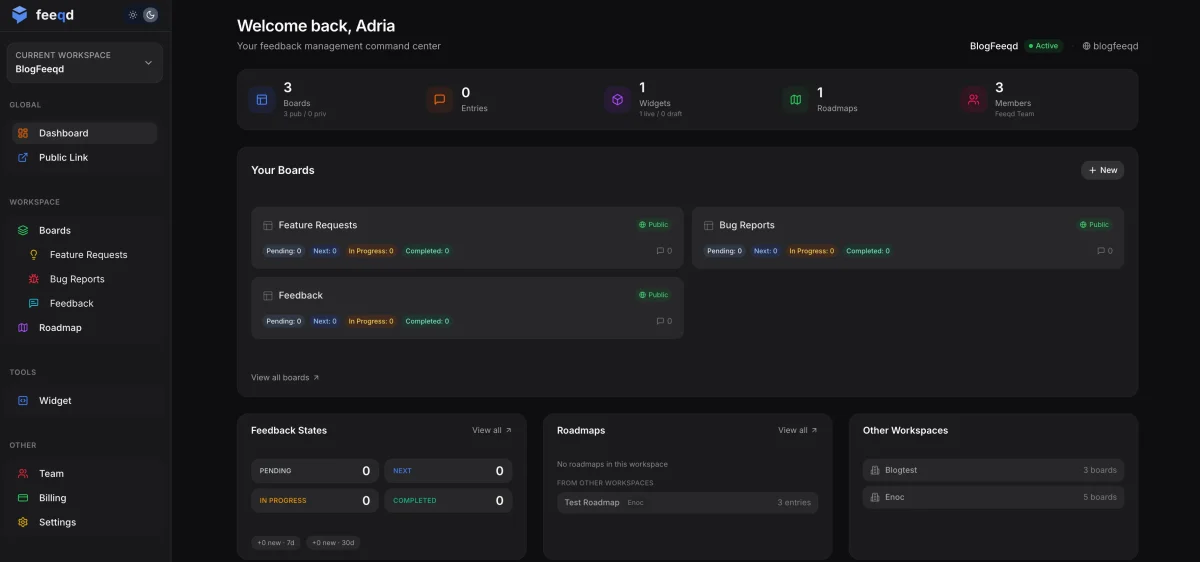
Step 6 is the one most teams skip. If a feature came from a feature voting board, the users who voted for it deserve a direct notification, not just inclusion in a generic newsletter. See how to announce new features for targeted announcement tactics and how to close the feedback loop for the full playbook.
Common Release Notes Mistakes
Writing for everyone, resonating with no one. A single release note copy sent through every channel to every audience reaches nobody. Segment.
Listing commits, not outcomes. "Refactored authentication module" tells users nothing. "Login is now 2x faster and supports SSO for Google Workspace" does.
No dates or versions. Release notes without timestamps are documentation, not release notes. Always include the release date and version.
Burying breaking changes. Put breaking changes at the top of the note, not buried in a "Changed" section. Users who miss breaking changes file support tickets; that cost is yours, not theirs.
Skipping the feedback loop. If the feature came from a user request, tell that user directly. Generic announcements lose this acknowledgment and miss a major engagement opportunity. A public product roadmap with shipped-item callouts compounds this effect.
Publishing to a 404. Every release note in every channel should link to a canonical public changelog. If the email sends a user looking for more detail and there's nothing to click, the note has failed.
For 10 real annotated examples of how brands like Stripe, Linear, GitHub, Vercel, and Notion structure their release notes, see our release notes examples breakdown. If your release surface is mostly code (SDK, REST API, GraphQL, CLI, internal service), the software release notes template post organizes templates by software type with copy-paste markdown. For the full launch workflow that generates the release notes in the first place, see our product launch checklist with 4-phase SaaS framework.
Tools That Generate or Host Release Notes
A template is 80% of the work. The remaining 20% is the tool that hosts, distributes, and notifies. Options depending on your setup:
- Standalone changelog tools: LaunchNotes, Beamer, AnnounceKit: hosted changelog pages with email and in-app distribution.
- All-in-one feedback + changelog: Canny, Feeqd, UserVoice: bundle feedback collection, voting, and changelog in one tool so you can close the loop from request to release automatically. For a full comparison see feedback management tool.
- Docs-based changelogs: Fumadocs, Docusaurus, Mintlify: render
/changelogfrom MDX files in your repo. Best for developer-first products. - Raw GitHub releases:
git tag+ GitHub release notes: minimal, built into your workflow, but no email or in-app distribution.
For product teams that want to tie release notes directly to the user requests that drove them, an all-in-one tool wins. For pure developer audiences, Keep a Changelog plus GitHub releases is hard to beat for signal-to-noise.
FAQ
How do you write release notes?
Start by picking the three dimensions: release type (major/minor/hotfix/beta/deprecation), channel (email/in-app/Slack/changelog), and audience (developers/end-users/executives). Then pick the template that matches all three. Draft from your commit log, but rewrite in plain outcome language. Always include the release date, version, and a link to the full changelog. Finish with a direct notification to users who requested the feature if your feedback tool supports it.
What is the AI tool to generate release notes?
Several: GitHub's built-in "Generate release notes" button on tagged releases uses the commit log. AI Release Notes and similar GitHub Marketplace actions generate drafts from PR descriptions. Dedicated tools like LaunchNotes and AnnounceKit include AI-assisted drafting from changelogs. ChatGPT or Claude can draft release notes from a bullet list of changes if prompted with your template and tone. The pattern that works: let AI draft, let a human rewrite for outcome framing and audience fit.
What is included in release notes?
At minimum: release date, version number, summary of changes (new features, improvements, fixes, breaking changes), and a link to documentation or a full changelog. Optional but useful: affected user segments, known issues, migration steps for breaking changes, credits to users who requested the feature, and a preview of what's coming next. The specific structure depends on release type and audience: see the templates above.
Who should prepare release notes?
Ownership varies by release type. For product releases, the product manager typically owns the release notes, with technical accuracy review from engineering and distribution help from marketing. For hotfixes and patches, the engineering lead or on-call engineer writes the note, often in minutes. For SDK and API releases, the developer advocate or the tech lead owns it. The critical rule: one named owner per release, not "the team": shared ownership means nobody writes them on time.
What is the difference between release notes and a changelog?
Release notes are audience-facing communication about a specific release, often distributed through email, in-app notifications, or announcements. A changelog is a permanent, chronologically ordered record of all changes, usually hosted at a stable URL. Release notes can be multiple (per channel, per audience) for the same release; a changelog is typically singular and canonical. Many teams publish release notes to multiple channels and update a single public changelog at the same time.
Get started with Feeqd for free
Let your users tell you exactly what to build next
Collect feedback, let users vote, and ship what actually matters. All in one simple tool that takes minutes to set up.
Sign up for free