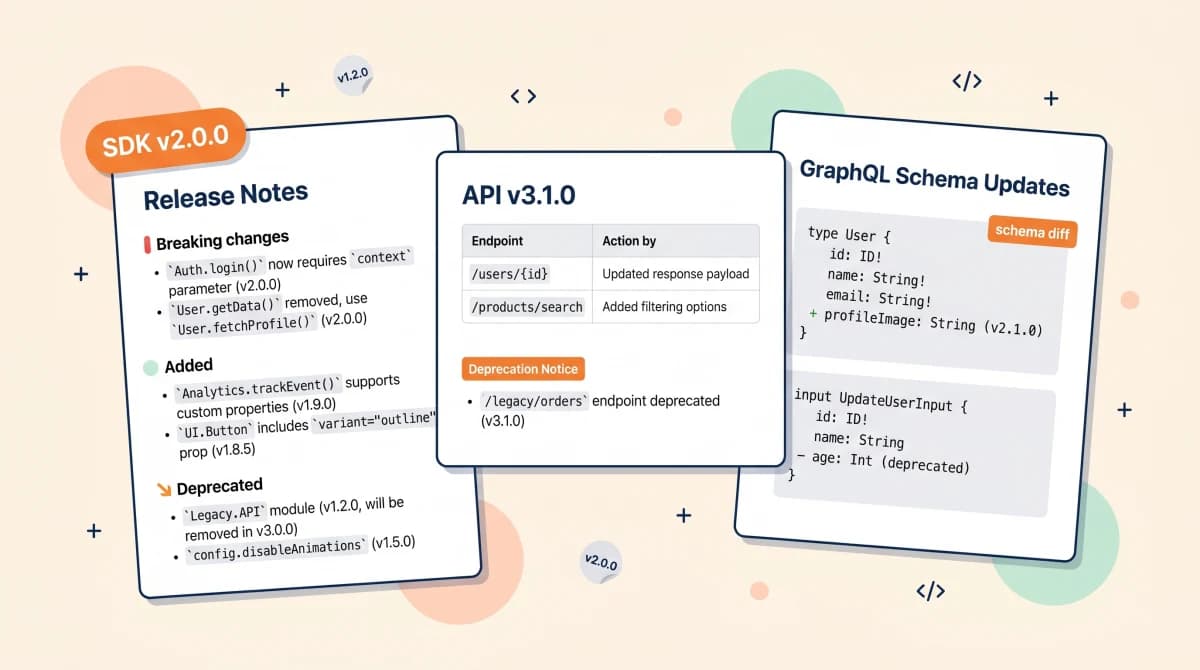
A software release notes template is a structured markdown skeleton that captures what shipped, who is affected, and what action a developer or operator has to take. The top-ranking asset on Google for this query is a raw GitHub Gist, not a blog post. That tells you everything about the actual job: developers want a copy-pasteable file, not a 12-step "how to write release notes" article.
This post collects six software release notes templates organized by software type, not by audience or channel. The same release event needs a different shape depending on whether you are shipping a SaaS web app, a mobile SDK, a REST API, a GraphQL schema, a CLI tool, or an internal service. Each template below lives inline, in markdown, with the breaking-change and semver patterns developers actually look for.
I run Feeqd, a feedback management tool, and the templates below are the formats my team and I use across our web app, our embedded widget SDK, and our internal services. They are also the templates I would have wanted to find when I was setting up release notes for the first time and the SERP had me copy-pasting from blog screenshots into Word documents.
Short answer: pick the template that matches what you ship. SaaS web app for product releases, mobile SDK for native libraries with platform compatibility, REST API for versioned HTTP endpoints, GraphQL for schema deltas, CLI/package for command-line tools and libraries published to a registry, internal service for deploy-day notes inside the company. Every template uses Semantic Versioning and the Keep a Changelog category names so they parse cleanly across tools and AI assistants.
Key takeaways
- A software release notes template is a markdown skeleton, not a Word document. The top-ranking asset for this keyword is a raw GitHub Gist, and the reason is that developers paste templates into repos, not into stationery.
- One template does not fit every software type. The six below cover the realistic surface area: web app, mobile SDK, REST API, GraphQL schema, CLI/package, internal service.
- The API release notes template variant (template 3 below) has its own structural needs: breaking changes at the top, an endpoint diff table, and a hard deprecation date. Generic templates skip all three.
- Every template uses Semantic Versioning (MAJOR.MINOR.PATCH) and Keep a Changelog section names (
Added,Changed,Deprecated,Removed,Fixed,Security). - The pillar release notes template post organizes templates by release type, channel, and audience. This post organizes by software type. Pick one axis depending on which dimension dictates your release shape.
What Is a Software Release Notes Template?
A software release notes template is a reusable markdown structure that describes a single release of a software artifact: version, date, what changed, what broke, what action the consumer has to take. It differs from a general release notes template in that it assumes the audience reads code and cares about version semantics, deprecation timelines, and migration steps, not benefit framing or marketing copy.
It also differs from a changelog template. A changelog is the rolling ledger of every version at a stable URL. A software release note describes one release, often distributed across multiple surfaces (a GitHub release page, an SDK docs site, a Slack engineering channel) and frequently linked back to the canonical changelog.
The 4-Element Software Release Notes Pattern
Every template below has the same four elements. If you remember nothing else, remember these:
- Version and date. Semver (
v2.3.1), ISO date (2026-05-13), and the install command if the release ships through a registry. - Change categories. Use the Keep a Changelog set:
Added,Changed,Deprecated,Removed,Fixed,Security. They are short, parseable, and already familiar to developers. - Breaking changes called out separately. Always at the top, never buried inside
Changed. Include the migration step or a link to a migration guide. Burying breaking changes is the single most common reason support tickets spike after a release. - Reference links. Diff URL (GitHub compare), full changelog, deprecation policy, and the public roadmap or feedback board the change originated from if you run one.
Skip any of these four and the release notes degrade into a commit log dump. Keep all four and you can mechanically generate release notes from a structured PR template.
6 Software Release Notes Templates by Software Type
Template 1: SaaS Web App Release Notes
For product releases to a hosted web app. Audience is a mix of product users and engineering, distributed through an in-app changelog and a public page.
# {Product} {YYYY.MM.DD} (v{semver})

**Released:** {YYYY-MM-DD}
**Environment:** production
**Status page:** {link}

## TL;DR
{One sentence describing the headline change.}

## Added
- {Feature}: {what users can now do}. Originated from [feedback board entry #{id}]({link}).
- {Feature}: {description}.

## Changed
- {Surface}: {behavior change}. No action needed.
- {Surface}: {behavior change}. Action: {what users have to do, if anything}.

## Fixed
- #{issue}: {description}.

## Security
- {CVE if any} patched. {Severity, affected versions}.

## Known issues
- {Known issue and workaround if any}.

**Full changelog:** {public changelog URL}
**Roadmap:** {public roadmap URL}
The "Originated from feedback board entry" line is the cheapest way to close the feedback loop at release time. Users who voted for the feature see their request shipped in the same scroll they used to file it.
Template 2: Mobile SDK Release Notes
For native iOS and Android SDKs distributed through CocoaPods, SPM, Maven, or Gradle. Strict semver, platform compatibility, and minimum OS version are non-negotiable.
# {SDK name} v{semver}

**Released:** {YYYY-MM-DD}
**Min iOS:** {15.0} | **Min Android:** {API 24 (Android 7.0)}
**Install:**
- CocoaPods: `pod '{SDK}', '~> {minor}'`
- SPM: `.package(url: "{repo}", from: "{semver}")`
- Gradle: `implementation '{group}:{artifact}:{semver}'`

## Breaking changes
- `{ClassName.methodSignature(...)}`: signature changed.
  - Before: `{old signature}`
  - After: `{new signature}`
  - Migration: {1-2 line code example or link to migration guide}.

## Added
- `{API surface}`: {behavior}.

## Changed
- {Internal change visible at the API boundary}: {what changed}.

## Deprecated
- `{symbol}`: use `{replacement}` instead. Removal in v{N.0.0} ({estimated date}).

## Fixed
- #{issue}: {description}. Affected versions: {range}.

## Compatibility
- Tested against: {Xcode versions, Android Studio versions, OS versions}.
- Known incompatibility: {edge case if any}.

**Full diff:** {git compare link}
**Migration guide:** {link if breaking changes shipped}
The compatibility section is what mobile SDK consumers look for first when they hit a bug after upgrading. Make it scannable.
Template 3: REST API Release Notes Template
For versioned HTTP APIs. The keyword "api release notes template" is the second-highest query in this cluster, and the SERP for it has almost no API-specific templates. Use this exact structure.
# {API name} {YYYY-MM-DD} (v{semver})

**API version:** `{v2}` | **Base URL:** `https://api.{domain}.com/v2`
**Stability:** stable | beta | deprecated
**Deprecation policy:** {months notice, link to policy}

## Breaking changes (action required)
| Endpoint | Change | Action by |
|---|---|---|
| `POST /widgets` | `name` field now required | {YYYY-MM-DD} |
| `GET /feedback/{id}` | response field `vote_count` renamed to `votes` | {YYYY-MM-DD} |

## Added
- `POST /webhooks/test`: send a test payload to a registered webhook.
- `feedback.status` field: now includes `archived` value.

## Changed
- `GET /feedback`: default page size raised from 25 to 50. Override with `?limit=`.
- Rate limit raised from 60 to 120 requests/minute on `/feedback/*` endpoints.

## Deprecated
| Endpoint or field | Replacement | Removal date |
|---|---|---|
| `POST /feedback/upvote` | `POST /feedback/{id}/votes` | 2026-11-01 |
| `feedback.score` (response) | `feedback.votes` | 2026-11-01 |

## Removed
- `DELETE /legacy/comments`: removed 6 months after deprecation notice.

## Security
- {CVE if any}. Affected versions: {range}. Action: {upgrade target}.

## Migration
{Code example or link to the migration guide for any breaking change.}

**OpenAPI diff:** {link}
**Changelog:** {public changelog URL}
Two structural choices matter here. First, breaking changes use a table with an "Action by" date so consumers can plan upgrades against a deadline. Second, deprecations are paired with a removal date in the same row so nobody has to cross-reference a policy page. Both patterns come straight from API release notes that consumer teams actually act on (Stripe, Twilio, GitHub) versus the ones that get ignored.
Template 4: GraphQL Schema Release Notes
For GraphQL APIs where the contract is the schema, not endpoints. The shape of the template inverts: most fields are additive (GraphQL's superpower), and the high-leverage section is what was deprecated and when it will be removed.
# {GraphQL API name} {YYYY-MM-DD} (v{semver})

**Schema version:** `{v2}` | **Endpoint:** `https://api.{domain}.com/graphql`

## Added (additive, no client action)
- Type `WidgetStats { views, submissions, conversionRate }`.
- Field `Feedback.archivedAt: DateTime`.
- Query `searchFeedback(filter: FeedbackFilter!): FeedbackConnection!`.

## Deprecated (action by removal date)
| Field or type | Replacement | Removal |
|---|---|---|
| `Feedback.score` | `Feedback.votes` | 2026-11-01 |
| `mutation upvoteFeedback` | `mutation castVote(input: CastVoteInput!)` | 2026-11-01 |

## Removed
- Field `Feedback.legacyId`: removed after 12-month deprecation window.

## Changed (behavior, not signature)
- `Feedback.createdAt`: now always returns UTC. Previously could return server-local time on legacy records.

## Migration example
{See block below this template.}

**Schema diff:** {link to GraphQL schema diff tool output}
**Persisted query handling:** {note any change to allowlist}
Example migration block for the section above:
# Before
query { feedback(id: "abc") { score } }

# After
query { feedback(id: "abc") { votes } }
The example query block is the highest-impact paragraph for client teams. Three lines beats three paragraphs every time.
Template 5: CLI Tool and Package Release Notes
For command-line tools and libraries published to a registry (npm, PyPI, Cargo, RubyGems, Go modules, Homebrew). Audience is engineers running an upgrade command. Optimize for "what breaks if I run install with no flags."
# {package} v{semver}

**Released:** {YYYY-MM-DD}
**Install:** `npm install {package}@{semver}` | `pip install {package}=={semver}` | `cargo install {package} --version {semver}`

## Breaking changes
- `{command --flag}`: renamed to `{command --new-flag}`. The old form prints a deprecation warning in this release and is removed in v{N+1}.0.0.
- Exit code `2` now means {new meaning}. Previously: {old meaning}.

## Added
- `{command subcommand}`: {what it does}.
- Config option `{key}`: {default value, behavior}.

## Changed
- `{command}` output format: structured JSON when stdout is not a TTY; human-readable otherwise.

## Deprecated
- `{command --flag}`: use `{replacement}` instead. Removal in v{N+1}.0.0.

## Fixed
- #{issue}: {description}.

## Security
- Dependency `{name}` updated from `{old}` to `{new}` ({CVE if any}).

**Full diff:** {git compare link}
**Upgrade guide:** {link if breaking changes shipped}
Two CLI-specific patterns: explicit exit-code documentation (CI pipelines depend on these) and JSON-vs-TTY output mode change notices (these silently break shell scripts).
Template 6: Internal Service Release Notes
For services deployed inside a company: backend microservices, internal tools, data pipelines. Audience is engineering, SRE, and on-call. The note travels through Slack or a deploys channel and links to the canonical changelog and runbook.
**Service:** `{service-name}` | **Version:** `v{semver}` ({git short SHA})
**Deployed:** {YYYY-MM-DD HH:MM UTC} by {@deployer}
**Environment:** production | staging
**Health:** {green/yellow/red} | **Dashboard:** {link}

## What changed
- {Bullet: change with reference to ticket or PR}.
- {Bullet: change}.

## Breaking changes
- {Internal API or contract change}. Owner of dependent service: {@team or @person}. Action: {what they need to do}.

## Migration / data changes
- {Schema migration applied: name, expected duration, rollback procedure}.
- {Backfill job: status, monitoring link}.

## Rollback procedure
- `{exact command or runbook link}`. Estimated rollback time: {N} minutes.

## Monitoring
- Watch: {dashboard link}, {alert link}.
- Expected change in metrics: {p99 latency up/down by X, error rate flat, etc.}.

**PR:** {link} | **Runbook:** {link}
This template lives in the company Slack, not on a public page. Three sections matter most: the rollback procedure (oncall reads this first when alerts fire), the monitoring section (sets expectations for what metric movement is normal post-deploy), and the breaking changes block addressing dependent service owners by handle.
Breaking Changes and Semver: The Three Patterns
Every software release notes template above treats breaking changes as a top-level concern. There are three patterns developers expect, and they map to the three SemVer increment types:
- MAJOR bump (e.g.
v1.5.3tov2.0.0): documented at the top of the note in a "Breaking changes" section with migration steps inline. AMIGRATION.mdfile or a dedicated upgrade guide URL is standard. - MINOR bump (e.g.
v2.3.0tov2.4.0): additive changes only. New endpoints, new fields, new methods. Deprecations introduced here, never removed. - PATCH bump (e.g.
v2.4.0tov2.4.1): bug fixes and security patches. No new public surface, no behavior changes that callers can detect.
The pattern that fails in practice is the soft-breaking change: a field's type narrows, a default value changes, an error code now bubbles up instead of being swallowed. None of these increment MAJOR under a strict reading of semver, but all of them break clients in production. Document them in the Changed section with an explicit Action required: {what} line and the post-mortem of the support tickets you would have shipped without that line.
Deprecation timelines should be in calendar dates, not "next major release." A consumer reading the template needs to know that mutation upvoteFeedback disappears on 2026-11-01, not "sometime in v3."
Format Guidance: Markdown, Word, PDF, and Google Docs
Search "software release notes template" and the related searches at the bottom of the SERP show what people actually want: format variants. The chips are word, excel, powerpoint, pdf, docx, free download. The reason markdown is still the right canonical format despite that demand:
- Markdown. Lives in your repo or your changelog tool. Diffable, version-controlled, parseable by every CI and AI assistant. This is the format every template above uses.
- Word and Google Docs. Useful for the executive summary that derives from the markdown source. Copy the markdown, paste into Docs, tighten the headers, ship the cross-functional summary. Do not author release notes in Word; the markdown source ages out the moment a parallel Word copy exists.
- PDF. Only useful as an export artifact, never the source of truth. Generate from markdown when you need a static distribution copy (compliance, partner notification, archival).
- PowerPoint. Belongs in a launch readout deck for stakeholders, not in release notes. The deck cites the release notes; the release notes do not become the deck.
- Excel and .docx. Excel makes sense only when release notes ship inside a per-version compatibility matrix (rows are versions, columns are platforms or clients). For a
.docxdownload, export from your markdown source on demand rather than authoring there; treating "free template download" as a separate artifact creates the same drift problem as authoring in Word.
The pattern that works in practice: one markdown source file in the repo or changelog tool, with downstream exports generated on demand. Authoring in Word or PowerPoint creates two files that drift apart within a quarter.
When the Template Alone Stops Working
A copy-paste template gets you the first dozen releases. Past that, three things break:
The static file goes stale. A CHANGELOG.md in a repo is fine for engineers running git log. It is invisible to product users, support, and the customer who filed the feature request six months ago. The fix is publishing a live changelog page that renders the same markdown source, with anchor links per version and per feature.
Release notes detach from the feedback that drove them. The user who voted for feedback.status: archived field never finds out it shipped. The template alone has no mechanism to notify them. Connecting the release note to a feature voting board and using a public product roadmap closes that loop automatically. See how to announce new features for the targeted notification pattern.
No template covers all three (web, SDK, API). A product that ships across surfaces ends up running three templates in parallel and forgets to keep them in sync. The fix is treating templates as repo files (/.release-notes/web.md, /api.md, /sdk.md) so a PR touching the contract has to touch the right template.
For 10 real annotated examples of how Stripe, Linear, GitHub, Vercel, and others structure their release notes across these surfaces, see the release notes examples breakdown. For the broader 10-template framework organized by release type, channel, and audience instead of software type, the pillar release notes template covers the matrix. For launch-day coordination across all of this, the product launch checklist connects release notes to the larger 4-phase framework.
FAQ
What is included in a software release notes template?
At minimum: version (semver), release date (ISO format), grouped changes using Keep a Changelog category names (Added, Changed, Deprecated, Removed, Fixed, Security), an explicit breaking-changes section at the top with migration steps, and reference links to the diff and full changelog. The six templates above each add software-type-specific fields: install commands for SDKs, endpoint diffs for APIs, rollback procedures for internal services.
What is the difference between a software release notes template and a changelog template?
A software release note describes a single release of a software artifact, often distributed across multiple surfaces. A changelog is the rolling, chronologically ordered ledger of every release at a stable URL. The changelog feeds the release note: most teams maintain a CHANGELOG.md in the repo and generate release notes for specific surfaces (in-app, email, Slack, API docs) from it.
How do you write API release notes?
Use template 3 above. The four structural choices that matter for API release notes are: breaking changes in a table at the top with an "Action by" date column, additive changes grouped under Added, deprecations paired inline with their removal date in the same row, and a Migration block with at least one code example. The OpenAPI diff link and the deprecation policy link belong in the header so consumers do not have to search.
Does the software release notes template need to follow semver?
Yes if you want consumers to trust the version number. Semver tells callers what to expect on upgrade: MAJOR means breaking, MINOR means additive, PATCH means fixes. The release note is where you prove the version number was honest. A v2.4.1 release note that includes a Breaking changes section signals either a versioning mistake or a soft-breaking change you should have shipped as v3.0.0.
Should release notes be markdown or Word?
Markdown for the source, every time. Word, Google Docs, or PDF are export formats for downstream surfaces (compliance, exec summary, partner notification). Authoring in Word creates a parallel artifact that ages out the markdown copy within a quarter. Every template in this post is markdown for the same reason the #1 search result on Google for this query is a raw GitHub Gist: developers paste templates into repos and tools, not into stationery.
How often should you publish release notes?
Match your release cadence. Continuous deployment teams batch user-facing release notes into a weekly or biweekly summary (one note per batch, not per deploy), but still log every deploy internally with template 6. Versioned SDKs and APIs publish per version. Hotfixes get a note within 24 hours of resolution even if minimal. The pattern that fails is publishing release notes only for major releases: the trust signal of consistent communication beats the polish of a single annual announcement.
Closing
Six templates cover the realistic surface area of software releases: web app, mobile SDK, REST API, GraphQL schema, CLI/package, internal service. Pick the one that matches what you ship, fill in the bracketed fields, and put the markdown source in your repo or your changelog tool. The pattern that compounds over time is treating the release notes template as code: version-controlled, reviewed in the PR that ships the change, and never authored in a Word document.
If the feature you are shipping originated from a user request, the highest-value paragraph in any of these templates is the one that notifies that user on release day. That is the part the templates above cannot do alone, and it is the part Feeqd was built around: the public board, the vote count, the public roadmap, and the ship-day notification all wired to the same release event. The templates here work without it. They work better with it.
Get started with Feeqd for free
Let your users tell you exactly what to build next
Collect feedback, let users vote, and ship what actually matters. All in one simple tool that takes minutes to set up.
Sign up for free