Most "customer interview templates" and user interview templates online are either generic UX research scripts or vendor-locked Notion files. Founders need something different: question scripts that work at specific moments in product discovery, written in language that surfaces real behavior instead of polite agreement.
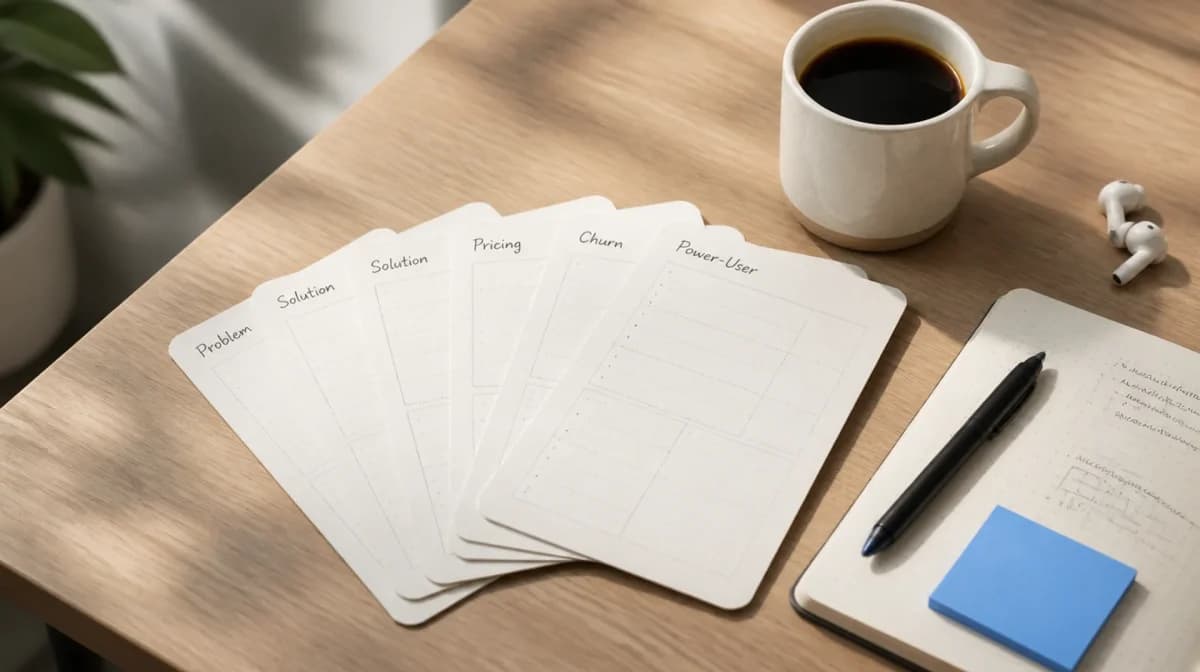
This guide gives you 5 copy-paste customer interview templates, one per discovery stage: problem interview, solution interview, pricing interview, churn interview, and power-user interview. Each script is built on the Mom Test framework (Rob Fitzpatrick's rules for not lying to yourself) and includes the user interview questions to strip out before your next call.
TL;DR: the 5 customer interview templates are Problem Interview (validate a problem hypothesis, Mom Test pattern), Solution Interview (test a concept against the validated problem), Pricing Interview (find a price band using Van Westendorp's 4-question pattern), Churn Interview (run within 48 hours of cancellation, no save attempts), and Power-User Interview (NPS 9 to 10 promoters, surface expansion signal and authentic positioning). Each script runs 20 to 45 minutes. Use one template per call (mixing stages teaches your interviewee to give sales-friendly answers). The shared discipline across all five: ask about specific past behavior, not opinions about the future. The shared output: behavioral observations and quotes that inform a single product decision per interview round, not generic notes that go in a Google Doc nobody reads. Below: full copy-paste scripts, the 6 question categories every interview needs, and 7 questions to never ask.
If you want to jump straight to scripts, skip to the 5 templates. If you came here looking for job interview questions, this is not that. See the disambiguation below.
Customer Interview vs Job Interview
Quick disambiguation because Google conflates these. A customer interview is a 1:1 research conversation with a current, prospective, or former user of your product, designed to uncover problems, validate solutions, or understand churn. A job interview is a hiring conversation. The 5 templates below are all customer interviews. If you want hiring questions, this is the wrong page.
What Is a Customer Interview?
A customer interview is a structured conversation, usually 20 to 45 minutes, between a product team member and a single user, focused on learning rather than selling. The output is a set of behavioral observations and quotes that inform a product decision. Customer interviews differ from surveys (quantitative, broad), usability tests (focused on UI behavior with a specific task), and sales calls (focused on closing).
Effective customer interviews share three properties:
- Behavior over hypotheticals. Ask about what people did last week, not what they would do in a hypothetical scenario. People are bad at predicting their own behavior.
- Specifics over generalities. "Tell me about the last time you tried to X" beats "How do you usually X."
- Silence over leading. Wait. People will fill silence with the unfiltered observation you actually need.
I've run roughly 200 customer interviews over the last two years building Feeqd, and the templates below are the ones that consistently produced decisions, not just notes.
The 5 Customer Interview Templates
Use one template per call. Mixing stages (e.g., asking pricing questions in a problem interview) trains your interviewee to give you sales-friendly answers, which is the opposite of what you need.
| Template | When to use | Goal | Sample size |
|---|---|---|---|
| 1. Problem Interview | Pre-product or pre-feature | Validate a problem hypothesis | 8 to 12 |
| 2. Solution Interview | After problem validated, before building | Test a concept against the problem | 6 to 10 |
| 3. Pricing Interview | Post-prototype, pre-launch | Find an acceptable price band | 10 to 15 |
| 4. Churn Interview | Within 48h of cancellation | Understand why users leave | 5 to 8 per quarter |
| 5. Power-User Interview | NPS 9 to 10 promoters | Find expansion levers | 5 to 8 per quarter |
Template 1: Problem Interview (Mom Test Pattern)
Use when: you have a problem hypothesis and need to validate the problem exists, is painful enough, and is being worked around.
Mom Test rule applied: never describe your idea, ask only about past behavior.
Background (3 min)
- Tell me a little about your role and what your day looks like.
- Walk me through what you were doing yesterday before this call.
- What tools or apps did you use most yesterday?

Behavior (15 min)
- Tell me about the last time you tried to [achieve specific goal].
  → Probe: What were you doing right before that? What happened next?
- How often does that come up?
- What's the hardest part of [the broader workflow]?
- The last time [pain point] happened, what did you do?
- How much time/money/sanity did that cost you?

Workarounds (5 min)
- What did you try first? Why?
- What are you doing today that's working, even partially?
- Have you ever paid for anything to solve this? What?

Closing (2 min)
- Is there anything I should have asked but didn't?
- Who else do you know who deals with this regularly?
Why this works: every question anchors to a real past event. You will not hear "yeah I'd probably use that" because you never describe what "that" is.
Template 2: Solution Interview (Concept Test)
Use when: you have validated the problem from Template 1 and built a low-fidelity prototype, mockup, or detailed description.
Mom Test rule applied: show, don't tell. Stay quiet after revealing the concept.
Reframe (3 min)
- Last time we talked you mentioned [the problem]. Is that still happening?
  → If no: stop the interview. Your problem hypothesis was wrong, or this user moved on.
- Has anything changed in how you're handling it?

Show concept (2 min)
- Here's something I'm exploring. [SHOW prototype/mockup/description.]
  → Stop. Wait. Do not narrate.
- What's your first reaction? (Then silence.)

Probe (10 min)
- Walk me through what you think this would do.
- Where in your current workflow would this fit?
- What would have to be true for you to use this every week?
- What would stop you from using this?
- What's missing that you'd need before using it for real?

Pricing reaction (2 min)
- If this existed today, what would you expect to pay for it monthly?
- Compared to [their current workaround], how would you justify the spend?

Closing (3 min)
- If I sent you a link to try this in beta tomorrow, would you actually use it?
  → Probe: When? On what kind of day?
- Who else should I show this to?
Why this works: the "would you actually use it tomorrow" question is the Mom Test commitment ask. It filters polite enthusiasm from real intent.
Template 3: Pricing Interview (Van Westendorp Adapted)
Use when: you have a working product or near-working prototype and need to find a price band before launch or a tier change.
Framework: Van Westendorp Price Sensitivity Meter, adapted for 1:1 conversations instead of surveys.
Context (5 min)
- What are you currently using to solve [problem]? How much does it cost?
- Does the cost come out of your budget or someone else's?
- The last time you bought a tool in this category, who approved it?

The 4 Van Westendorp questions (10 min)
- At what monthly price would [this product] be so expensive you wouldn't consider it?
- At what price would it be expensive but you'd still buy it because the value justifies the cost?
- At what price would it be a great deal, almost a no-brainer?
- At what price would it feel suspiciously cheap, like the quality must be poor?

Behavior anchor (5 min)
- If I sent you a Stripe checkout link at [the "great deal" price] right now, would you sign up today?
  → Probe: If not, what would have to change?
- What's the largest expense you've approved without asking anyone in the last 6 months?

Closing (2 min)
- Anything about the pricing model (per seat, flat, usage) that would be a dealbreaker?
- Who else should I run this by?
Why this works: the four Van Westendorp questions yield a price band when you have 10+ interviews to plot. The behavior anchor question filters stated preference from revealed preference.
Template 4: Churn Interview
Use when: a user cancels, ideally within 48 hours of cancellation. Cold churn interviews (weeks later) lose recall fidelity.
Tone rule: no defensiveness, no save attempts, no discount offers. Just learning.
Set the frame (1 min)
- I'm not trying to win you back, I'm trying to learn. There's no wrong answer.

Trigger event (5 min)
- What was happening the day you decided to cancel?
- Was there a specific moment, or had it been building?
- If there was a specific moment, walk me through it.

Workaround (5 min)
- What are you using instead now?
- How does that compare on the things that mattered to you?
- What does the new tool do that we didn't?

Decision (5 min)
- If we had done [hypothetical fix] before you cancelled, would that have changed things?
  → Note: this is hypothetical and Mom-Test-violates by default. Discount the answer 80%.
  → The real signal: what they ACTUALLY did when frustrated (did they email support? open a ticket? complain on Slack?).
- When did you first start considering leaving?
- Did you tell anyone before cancelling? What did you say?

Closing (2 min)
- Is there anyone on your team who saw this differently?
- Would you ever come back? Under what circumstances?
Why this works: the "what were you doing the day you cancelled" anchors to behavior. The "did you tell anyone" question often surfaces the real problem (e.g., they wanted a feature, didn't ask, gave up).
Template 5: Power-User Interview
Use when: you want to find expansion paths, referral patterns, or product-led growth levers. Target users with NPS 9 to 10 promoters, top 5% by usage, or repeat purchases.
Goal: understand what made them stick and what they'd happily pay more for.
Origin story (5 min)
- How did you find us originally?
- What were you using before? Why did you switch?
- What was the moment you realized this was working for you?

Use case depth (10 min)
- Walk me through how you used [product] yesterday or this week.
- What's the one workflow you'd struggle most without?
- Where does [product] fit in your day (first thing, end of day, throughout)?
- Who else on your team uses it? How do they use it differently?

Expansion (5 min)
- What's the next thing you wish [product] did?
- If we built [feature you've inferred from their workflow], would you pay more for it?
- What other tools do you pay more than $50/mo for? What makes them worth it?

Referral (2 min)
- Who else should be using this?
- What would you say to convince them?
- Would you make an intro?
Why this works: asking power users what they'd pay more for surfaces real expansion appetite. Asking how they'd convince a peer surfaces your most authentic positioning copy, free.
The 6 Question Categories Every Customer Interview Needs
Across all 5 templates, every effective customer interview cycles through six question categories. If your script is missing one, add it.
- Background and rapport. "Tell me about your role." Sets context, lowers defenses.
- Behavior and context. "Tell me about the last time you..." Past behavior is the only reliable predictor of future behavior.
- Problem and pain. "What's the hardest part about...?" Surfaces friction worth solving.
- Concept and opportunity. "How would this fit in your workflow?" Tests fit, not enthusiasm.
- Probing follow-ups. "Tell me more about that." "Why is that important to you?" These produce 80% of the insight.
- Closing and referral. "Who else should I talk to?" The cheapest user research recruitment channel you have.
Most failed interviews skip categories 2 and 5, jumping from background straight to a sales pitch.
7 Customer Interview Questions to NEVER Ask
These questions feel productive but produce noise. Cut them from your scripts.
- "Would you use [feature]?" People are agreeable in 1:1 conversations. Yes is meaningless. Replace with: "Tell me about the last time you needed something like this."
- "How much would you pay for [feature]?" Stated price always exceeds revealed price. Replace with the Van Westendorp 4-question pattern (Template 3).
- "Do you think [feature] would be useful?" Leading and hypothetical. Replace with: "Walk me through how this would fit in your week."
- "What would you change about our product?" Users are bad designers. Replace with: "What's frustrating about your current workflow?"
- "Would you recommend us to a friend?" Save this for NPS. In an interview, ask: "Have you actually told anyone about us? What did you say?"
- "Don't you think this is easier than [competitor]?" Loaded leading question. Replace with: "How does this compare to what you use now?"
- "On a scale of 1 to 10, how do you like it?" Surveys do this better. In an interview, ask: "Walk me through your last session with the product."
The Mom Test Framework in 3 Rules
If you only remember three things from Rob Fitzpatrick's "The Mom Test", make it these:
- Talk about their life, not your idea. The interview is not a pitch. If you find yourself describing what you're building before minute 20, you're doing a sales call.
- Ask about specifics in the past, not generics or opinions about the future. "Tell me about the last time" is the highest-leverage phrase in customer interviewing.
- Talk less, listen more. A good interview is 80% listening. Silence is your tool, not your enemy.
The book takes 90 minutes to read. Every product team member should read it before their first interview.
Adding a JTBD Layer
Jobs-To-Be-Done (JTBD) is a complementary framework focused on the "job" a user is hiring your product to do. It is most useful when added to Templates 1 (Problem) and 5 (Power-User).
The JTBD question pattern:
- What were you doing when you first realized you needed [product category]? (Trigger)
- What did you try before [your product]? (Existing solutions)
- When you switched, what specifically pushed you to make the change? (Switch trigger)
- What were you afraid would go wrong if you switched? (Anxieties)
- What does life look like now that you have [product]? (New behavior)
Add 2 to 3 JTBD questions to a Problem Interview when you suspect users have already tried other tools. Add the full set to a Power-User Interview to surface positioning copy.
How to Synthesize Interviews: The Snapshot Pattern
Notes from 10 interviews across 30 hours of recordings are useless if they live in a Google Doc nobody reads. The synthesis pattern that actually drives decisions is Teresa Torres's interview snapshot, popularized in Continuous Discovery Habits.
A one-page snapshot per interview, structured as:
- Top of page: participant name, date, sample quote that captures the interview in one line.
- Left side: a sketch or stick-figure storyboard of the user's experience around the problem.
- Right side: 5 to 8 raw quotes organized by theme.
- Bottom: insights (your interpretation), opportunities (problem statements), and follow-up questions.
The snapshot forces you to choose what mattered, which is the part that drives roadmap decisions. After 8 interviews on a topic, snapshots cluster naturally and the priority opportunities surface.
Tools to Capture Interview Insights
The interview itself is the easy part. The hard part is what happens after: turning 30 hours of conversation into decisions your team actually ships.
A few patterns that work:
- Recording + transcription: Otter.ai or Tactiq for live transcription during the call. Read the transcript while listening to the recording at 1.5x speed.
- Quote tagging: Notion, Dovetail, or a spreadsheet with one row per quote, columns for theme, sentiment, and source interview. Tags compound across interviews.
- Synthesis: the Teresa Torres snapshot pattern above, one per interview.
- Decisions: the highest-velocity teams pipe interview-derived feature requests into a feature voting board so the rest of the team can vote on priority. We built Feeqd for this last step. When a problem surfaces in 3+ interviews, drop it into a board, let the team vote, and link the eventual shipped feature back to the original interviews so you can close the feedback loop when it ships. See our feedback management tool guide for how the post-interview workflow connects to roadmap decisions.
Frequently Asked Questions
What are good customer interview questions?
The best customer interview questions ask about specific past behavior, not opinions or hypothetical future actions. Open with "Tell me about the last time you tried to [achieve a specific goal]." Avoid "Would you...", "Do you think..." and "How much would you pay for...". The 5 templates above provide tested question scripts for problem, solution, pricing, churn, and power-user interviews. The Mom Test framework reduces to one rule: talk about their life, not your idea.
How many customer interviews do I need?
Sample size depends on the question. For problem validation: 8 to 12 interviews per segment is usually enough to see patterns repeat. For pricing: 10 to 15 to plot a Van Westendorp curve with confidence. For churn and power-user: ongoing, 5 to 8 per quarter. The point of saturation is when 3 consecutive interviews surface no new themes.
How long should a customer interview be?
20 to 45 minutes. Under 20 minutes you cannot get past background and into real behavior questions. Over 45 minutes the participant tires and accuracy drops. The sweet spot for most product discovery is 30 minutes.
What is the difference between a customer interview and a usability test?
A customer interview is exploratory: you are learning about a user's problems, behavior, or motivations. A usability test is evaluative: you give the user a specific task with your product and observe friction. Customer interviews come before building. Usability tests come after.
How do I find customers to interview?
Existing customer base first (segment by usage tier or NPS score). For prospects, use UserInterviews.com, Respondent.io, LinkedIn outreach, or relevant subreddits like r/UXResearch and r/ProductManagement where founders and PMs already discuss interview practice. Offer $50 to $100 per 30-minute call for serious participants. Cold founder outreach with a clear "I'm doing 30-minute research calls, not selling" framing converts surprisingly well.
What is the Mom Test?
The Mom Test is a framework by Rob Fitzpatrick for running customer interviews that produce useful answers, even when interviewing people who want to be polite (like your mom). The three rules: talk about their life not your idea, ask about specifics in the past not opinions about the future, and talk less, listen more.
Related Guides
If you're building a discovery practice from scratch, these complement this guide:
- User Feedback Collection: A Complete Strategy covers the full collection toolkit beyond interviews
- Customer Feedback Strategy for Product Teams covers the operating system around feedback channels
- Product Market Fit Survey: Sean Ellis Test Playbook is the quantitative complement to qualitative interviews
- How to Ask Customers for Feedback covers async feedback channels for in-between interview rounds
- Types of Customer Feedback maps which interview output goes where in your product workflow
Run Your Next Interview This Week
Pick one template, find one customer, schedule a 30-minute call this week. Eight interviews from now, your roadmap will look different than it does today.
Get started with Feeqd for free
Let your users tell you exactly what to build next
Collect feedback, let users vote, and ship what actually matters. All in one simple tool that takes minutes to set up.
Sign up for free