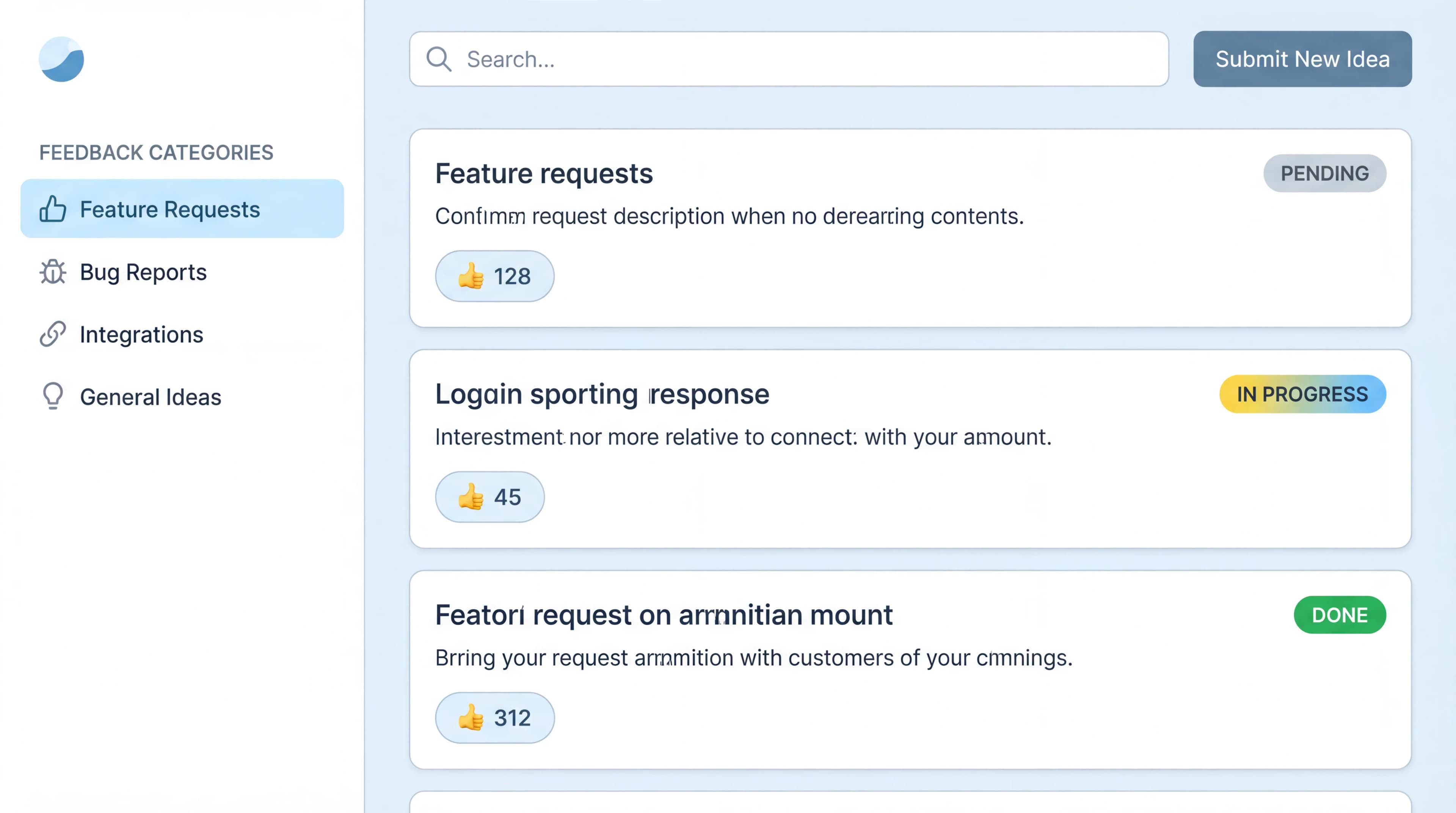
Every SaaS product generates user feedback. Support tickets, feature requests, bug reports, NPS responses, churn surveys. The problem isn't volume. It's that feedback is scattered across channels with no central system to organize, prioritize, and act on it.
A feedback board for SaaS solves this by giving users a dedicated place to submit ideas, vote on existing ones, and see what your team is building. The board becomes a self-organizing priority list where the most wanted features rise to the top, no manual sorting required.
I built Feeqd as a feedback management tool specifically for SaaS teams because after years of managing feature requests in spreadsheets and Slack, I knew the core problem wasn't collecting feedback. It was turning it into decisions. The first SaaS team that used Feeqd's feedback board saw their duplicate feature requests drop by roughly 60% in the first month, simply because users found and voted on existing requests instead of submitting new ones. This guide covers how to set up a feedback board, what to look for in a tool, and how to connect it to your product roadmap.
Best Feedback Board Tools for SaaS
If you're evaluating tools, here's how the main options compare. Pricing and features verified April 2026; check vendor sites for current information.
| Tool | Free Plan | Voting | Public Board | Widget | Roadmap | SaaS Focus | Price |
|---|---|---|---|---|---|---|---|
| Feeqd | 3 boards, 60 entries | Yes | Yes (custom subdomain) | 18KB embed | Built-in Kanban | Yes | Free / $19/mo |
| Canny | 1 board, 100 users | Yes | Yes | No native widget | Changelog | Yes | Free / $99/mo |
| Featurebase | Free tier | Yes | Yes | Yes | Timeline | Yes | Free / $29/mo |
| ProductLift | Free trial | Yes | Yes | No | Yes | Yes | $12/mo |
| Nolt | No | Yes | Yes | No | No | Partial | $29/mo |
| UserVoice | No | Yes | Yes | Yes | Yes | Enterprise | $499/mo |
Feeqd: best for SaaS teams wanting one tool
Feeqd combines a public feedback board with voting, an 18KB in-app feedback widget, and a Kanban roadmap in one platform. Each workspace gets a custom subdomain (yourcompany.feeqd.com), so your feedback board has your branding. The free plan includes 3 boards, 60 entries, and 1 roadmap, enough to run a real workflow before upgrading.
Best for: SaaS teams that want feedback collection, voting, and roadmap in a single tool with a real free plan.
Canny: best for integration-heavy SaaS teams
Canny's strength is its integration ecosystem. Jira, Intercom, Salesforce, Slack, Zapier, and more. If your SaaS team already uses a CRM or support tool and needs feedback data flowing into it automatically, Canny is the strongest option. The free tier (1 board, 100 tracked users) works for validation, but most growing SaaS teams need the paid plan. See our full Canny alternatives comparison for pricing details.
Best for: SaaS teams with established tool stacks (Jira + Intercom + Salesforce) that need bidirectional data sync.
Featurebase: best modern alternative
Featurebase is a newer entrant that's gained traction with SaaS teams. It combines feedback boards, a changelog, and a roadmap with built-in AI features (auto-categorization, translation). The free tier is functional, and the paid plan starts at $29/mo.
Best for: SaaS teams that want a modern UI with AI-powered features at a mid-range price.
ProductLift: best budget option
ProductLift positions itself as the best value for growing SaaS teams. At $12/mo for the starter plan, it's the cheapest paid option with meaningful features. Boards, voting, roadmap, and analytics are all included. The tradeoff is a smaller integration ecosystem and less brand recognition.
Best for: bootstrapped SaaS startups looking for maximum features at minimum cost.
UserVoice: best for enterprise SaaS
UserVoice is the legacy enterprise option. Comprehensive features, compliance certifications, dedicated support, and a price tag to match ($499/mo). If your SaaS serves enterprise customers with strict procurement requirements, UserVoice checks the boxes that simpler tools don't.
Best for: enterprise SaaS with compliance needs and dedicated budget.
What Is a Feedback Board?
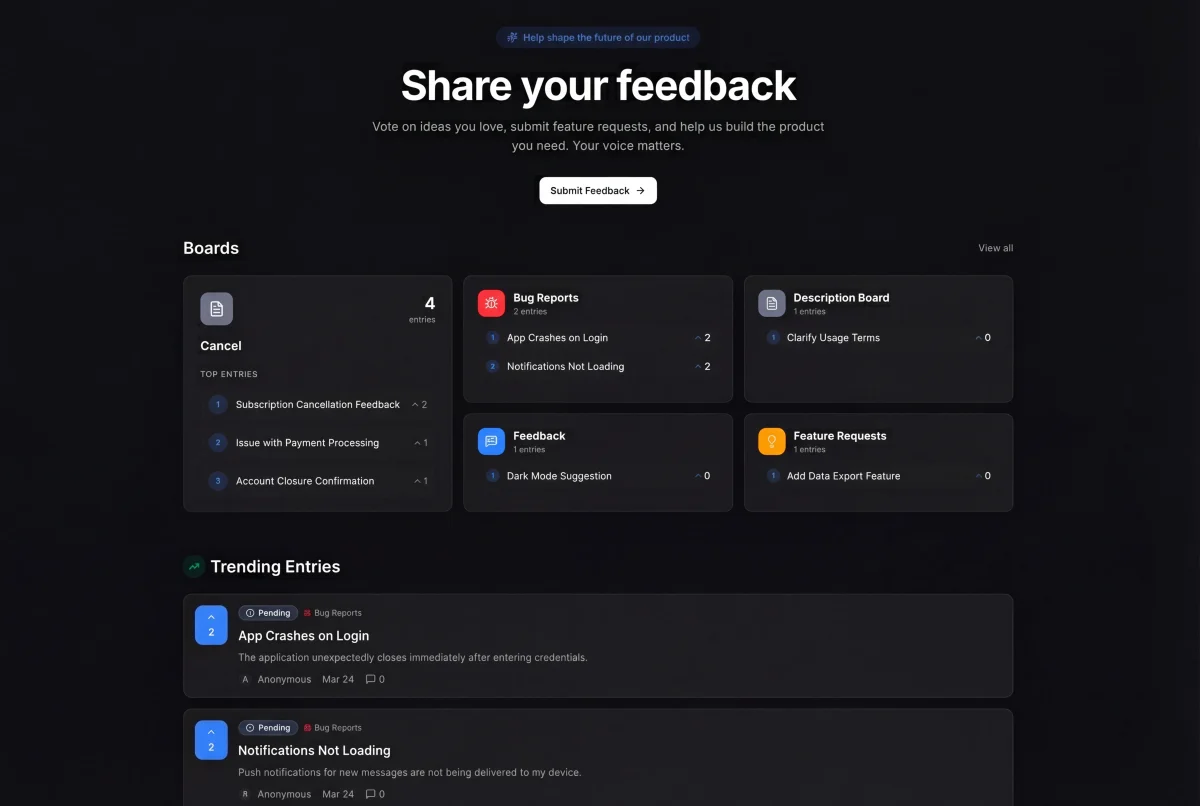
A feedback board is a page (public or private) where users can submit product ideas, browse existing requests, and vote on the ones they care about. Each request shows its vote count, creating a transparent ranking of what users want most.
For SaaS products specifically, feedback boards solve three challenges:
1. Centralized collection
Instead of feedback scattered across Intercom, Slack, email, and social media, everything flows into one board. Users submit directly. Support agents log requests from conversations. Sales tags requests from prospect demos. One source of truth.
2. Self-service prioritization
When users vote, they prioritize for you. The features with the most votes are, by definition, what the most users want. This doesn't replace PM judgment (a feature with 10 enterprise votes might outweigh 100 free-user votes), but it gives you quantitative demand data instead of gut feelings.
3. Churn reduction through transparency
SaaS users who submit feedback and never hear back are more likely to churn. A public board where they can see their request, watch it move from "Pending" to "In Progress" to "Completed," and get notified when it ships creates a sense of partnership. According to Pendo's State of Product Leadership report, product teams that systematically act on user feedback see measurably higher retention.
How to Set Up a Feedback Board for Your SaaS
Step 1: Choose your tool and create your board
Pick a tool from the comparison above. Create a "Feature Requests" board for product ideas and optionally a "Bugs" board for issues. In Feeqd, these are separate board types with different configurations.
Step 2: Embed feedback collection in your product
The best feedback comes from users who are actively using your product. Add an in-app widget or a prominent "Feedback" link in your sidebar/help menu. The less friction, the more submissions. Feeqd's widget is 18KB, loads in under 50ms, and supports structured forms with conditional logic and multiple block types.
Step 3: Make your board public
A public board gets more engagement than a private one. Users who can see what others are requesting submit higher-quality feedback and vote more actively. Share your board link in your app, email signatures, support conversations, and social media.
Step 4: Set up a status workflow
Configure statuses (Pending, Next, In Progress, Completed) so users can track progress. Each status change is a communication opportunity that closes the feedback loop without requiring you to send individual emails.
Step 5: Connect to your roadmap
The feedback board's highest value is when top-voted items flow into your product roadmap. This creates a visible pipeline: request > vote > roadmap > shipped. Users see the full loop, which builds trust and encourages more feedback.
Step 6: Review weekly
Set a weekly cadence to review new submissions, merge duplicates, update statuses, and move high-vote items to your roadmap. A feedback board without regular review is a suggestion box that goes nowhere.
SaaS-Specific Best Practices
Segment feedback by plan type
Free users, paid users, and enterprise customers have different needs. A feature with 50 votes from free users and 5 votes from enterprise customers tells a different story than total vote count alone. Track user segments and filter your priority view by plan type when making roadmap decisions.
Use the feedback board as a churn signal
When a paying customer submits a feature request, they're invested enough to tell you what they need. When they stop submitting (or their requests go unanswered), churn risk increases. Monitor feedback activity from your highest-value accounts as a leading indicator.
Connect feedback to revenue decisions
Your feedback board contains product-market fit data. If 80% of feature requests relate to one workflow, that's your users telling you where your product's core value lives. If enterprise prospects keep requesting the same feature in demos, that's revenue signal you should act on. Read our guide on tracking feedback impact for frameworks.
Don't just collect, communicate
The difference between a feedback board and a black hole is communication. When you change a request's status, users get notified. When you ship a feature, announce it to the voters. When you decide not to build something, update the status with a brief explanation. This two-way communication is what turns a feedback board into a retention tool.
Common Mistakes
Launching with too many boards
Start with one board: Feature Requests. Add a Bugs board later if needed. Teams that launch with 5 specialized boards end up with scattered feedback and low engagement on each one. Focus beats breadth.
Requiring login to submit
For public boards, consider allowing anonymous or guest submissions. Every authentication step reduces submissions. As Intercom's research on customer engagement shows, reducing friction in feedback channels significantly increases participation rates. If you need to track who submitted what, offer Google OAuth to minimize friction.
Treating all votes equally
A vote from a customer paying $500/month is not the same as a vote from a free trial user who signed up yesterday. Use vote data as a starting point, then apply prioritization frameworks that weight by customer value.
Ignoring the "why" behind requests
"Add dark mode" tells you what users want. "I use the app late at night and the bright interface causes eye strain" tells you why. Encourage your feature request template to ask for the problem, not just the solution. You might find a better answer than the one users proposed.
FAQ
What is a feedback board?
A feedback board is a page where users submit product feature requests and vote on existing ones. Each request displays its vote count, creating a community-ranked priority list. For SaaS products, it replaces scattered email and Slack feedback with a centralized, transparent system where the most wanted features rise to the top naturally.
What is the best free feedback board for SaaS?
Feeqd offers the most full-featured free plan: 3 boards, 60 entries, public voting with custom subdomains, and a built-in roadmap. Canny has a limited free tier (1 board, 100 tracked users). Featurebase also has a free tier. For most early-stage SaaS teams, Feeqd's free plan provides enough capacity to validate the workflow before upgrading. See our full feature request tracking software comparison for more detail.
How does a feedback board reduce SaaS churn?
By giving users a visible channel where they feel heard. Users who submit feedback, see it acknowledged with status updates, and eventually see their requested feature shipped are significantly less likely to churn. The feedback board creates an ongoing conversation between your team and your users, replacing the silence that drives frustration and cancellations.
How is a feedback board different from a support tool?
Support tools (Zendesk, Intercom) handle reactive conversations: a user has a problem, you resolve it. A feedback board handles proactive input: users suggest what to build next, vote on priorities, and track progress. Some teams integrate both: when a support conversation reveals a feature gap, the agent logs it on the feedback board for tracking and voting.
Do small SaaS teams need a dedicated feedback board?
If you have more than 20 active users submitting requests through multiple channels (email, Slack, support), a dedicated feedback board will save you time. Below 20 users, a simple spreadsheet or Notion table works. The tipping point is when you start losing track of requests or getting duplicates. At that point, a free tool like Feeqd pays for itself in PM time saved. Read our guide on how to build a feedback system for the full setup process.
Get started with Feeqd for free
Let your users tell you exactly what to build next
Collect feedback, let users vote, and ship what actually matters. All in one simple tool that takes minutes to set up.
Sign up for free